This comparison is based on publicly available product information, pricing pages, and verified user reviews as of mid-2026. Prices and feature sets change. Verify with each vendor before purchasing.
There are two distinct categories of multichannel software that often get confused: product feed software and marketplace integration software. They solve different problems.
Product feed software distributes your product catalog to advertising and comparison channels (Google Shopping, Meta Ads, Idealo, Beslist) in the right format for each channel. The data flow is one direction: from your store to the channel. Marketplace integration software creates a two-way API connection with marketplaces like Amazon, bol.com, and Zalando. It sends your product listings to the marketplace and pulls back orders and inventory updates automatically. Without this second layer, you are logging into each marketplace dashboard separately to see orders.
This guide focuses specifically on marketplace integration software: what it does, how the leading platforms compare across the features that matter for European merchants, and which tool fits which type of store.
| Key Takeaways Marketplace integration software is API-based and two-way: it handles both listing your products on marketplaces and importing orders and inventory updates back to your store. Not every tool in this comparison covers European marketplaces equally. bol.com, Zalando, Kaufland, Allegro, and Miinto are well-supported by Koongo and Channel Engine but minimally or not at all by US-centric platforms. Order synchronization is the feature that separates feed tools from true marketplace integration platforms: it imports marketplace orders into your Shopify or WooCommerce order workflow automatically.Inventory synchronization prevents overselling: when a unit sells on one channel, stock is updated across all others within minutes. For SMEs with under 5,000 SKUs and 2-5 marketplace targets, Koongo offers the lowest entry cost that includes all three capabilities: listing, order sync, and inventory sync. |
Obsah
- What is marketplace integration software?
- Marketplace integration software comparison: all tools at a glance (2026)
- How does pricing compare across marketplace integration tools?
- Which marketplaces does each platform support, and how deeply?
- How does API integration work, and why does it matter for marketplace selling?
- How does order synchronization work and why is it operationally critical?
- How does inventory synchronization prevent overselling across channels?
- Marketplace integration tool profiles: what each platform is actually built for
- Koongo: best for European SMBs needing feed + marketplace in one platform
- ChannelEngine: best for mid-market to enterprise merchants scaling globally
- Linnworks: best for UK/EU merchants centralizing inventory and order operations
- Rithum (formerly ChannelAdvisor): best for large enterprise with global reach
- What is the best marketplace integration software for SMEs?
- Frequently Asked Questions
- What is the difference between marketplace integration software and product feed software?
- Does marketplace integration software work with Shopify?
- Is marketplace integration software worth it for a store with fewer than 500 products?
- Which marketplace integration software is best for bol.com?
- Can I use marketplace integration software without a developer?
- How long does it take to set up a marketplace integration?
- What happens when my inventory sync fails?
What is marketplace integration software?
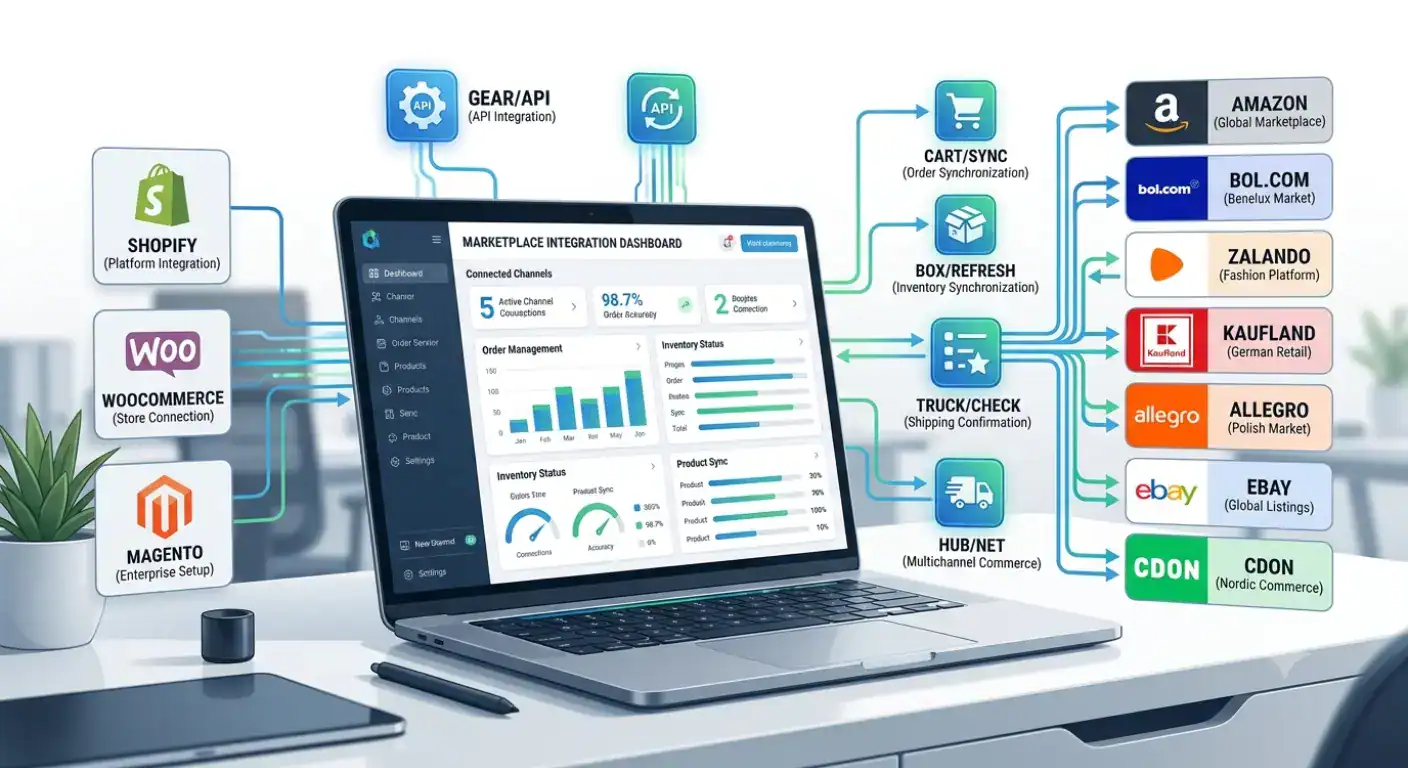
Marketplace integration software creates an automated, two-way API connection between your e-commerce store and a marketplace. It handles product listing creation, inventory synchronization, order import, and shipping confirmation, replacing the manual work of logging into each marketplace dashboard to manage listings and orders separately.
The key word is API. Unlike feed management, which delivers a structured file to a channel on a schedule, marketplace integration uses a live API connection that lets data flow in both directions. When an order is placed on bol.com, the integration imports it into your Shopify or WooCommerce dashboard automatically. When you mark it as shipped, the tracking number is sent back to bol.com automatically. When the last unit in stock sells anywhere, the listing is deactivated on every other connected marketplace within minutes.
| What marketplace integration software handles automatically Product listing creation: maps your store’s catalog to each marketplace’s required attribute schema. Attribute rules: transforms data to meet channel-specific formatting requirements (e.g. Zalando’s colour catalogue, Amazon’s GTIN requirements) Inventory synchronization: updates stock levels across all connected marketplaces every 5, 15, or 60 minutes after each sale Order synchronization: imports new marketplace orders into your store’s order management system automatically. Shipping confirmation: sends tracking information back to the marketplace once an order is fulfilled. Return handling: processes return requests from marketplace customers back into your workflowPrice rules: applies channel-specific pricing logic without manual updates per marketplace |
What marketplace integration software does not do: it does not run your advertising campaigns, manage your Google Shopping feed, or handle comparison site listings. Those are handled by product feed software. The two categories are complementary, not interchangeable.
Marketplace integration software comparison: all tools at a glance (2026)
The six platforms in this comparison span from SME-accessible tools at EUR 12/month to enterprise platforms with custom six-figure annual contracts. The key differentiators for European merchants are which marketplaces are natively supported, particularly bol.com, Zalando, Kaufland, and Allegro, and whether order sync is included without requiring add-on modules.
| Tool | Starting price | Free plan | bol.com native | Order sync | Best for |
| Koongo | EUR 12/month | Yes | Yes (Silver Partner) | Yes, included | European SMBs: feed + marketplace in one |
| ChannelEngine | Custom (contact) | No | Yes, native | Yes, included | Mid-market to enterprise: 1,300+ marketplaces |
| Linnworks | Custom (contact) | No | Limited | Yes, included | UK/EU mid-market: inventory + order focus |
| Channable | EUR 49/month + add-on | No | Yes (add-on) | Via add-on | Agencies: feed primary, marketplace optional |
| Sellbrite | From ~USD 29/month | No (14-day trial) | No | Yes, included | US-focused SMBs: Amazon, eBay, Walmart |
| Rithum (ex-ChannelAdvisor) | Custom (enterprise) | No | Limited | Yes, included | Large enterprise: 420+ global marketplaces |
Pricing verified from public sources as of mid-2026. ChannelEngine, Linnworks, and Rithum do not publish pricing publicly; contact each vendor for a quote.

How does pricing compare across marketplace integration tools?
Marketplace integration software pricing divides clearly into two tiers: self-service SME tools with published pricing starting under EUR 50/month, and mid-market to enterprise platforms with custom pricing that typically starts at several hundred euros per month. The SME tier includes Koongo, Channable (with add-ons), and Sellbrite. Everything else in this comparison requires a sales conversation before you see a number.
This pricing structure reflects a real difference in implementation: SME tools are designed for self-service setup by a non-technical merchant. Enterprise platforms typically involve onboarding support, dedicated account management, and more complex configuration, all of which is factored into the price.
Koongo
| Free plan | Yes, permanent, no credit card required |
| Paid plans from | EUR 12/month, includes Feed Manager + Marketplace Manager |
| Free trial | 7 days on paid plans |
| Pricing model | Scales by product count and active channels |
| What’s included | Both feed distribution and marketplace API integration (order sync, inventory sync) in every paid plan; no add-ons needed |
ChannelEngine
| Pricing | Custom: contact ChannelEngine for a quote; no public starting price |
| Free trial | Not standard; demo-led evaluation process |
| Pricing model | Typically based on order volume, number of channels, and feature tier |
| What’s included | Marketplace listing management, order management, inventory sync, repricing rules, and return handling across 1,300+ channels |
| Target | Growing retailers and brands scaling to 5+ marketplaces internationally |
Linnworks
| Pricing | Custom: contact Linnworks for a quote; no public starting price |
| Free trial | Available on request |
| Pricing model | Based on order volume and number of integrations |
| What’s included | Inventory management, order management, warehouse management, shipping management, and 100+ channel integrations |
| Target | Small to mid-size multichannel retailers needing centralized inventory and order operations |
Channable
| Core plan from | EUR 49/month (Standard), feed management only |
| Marketplace module | Paid add-on on top of Core plan (approximately EUR 35/month for Standard) |
| Total for feed + marketplace | From approximately EUR 84/month at minimum tier |
| What’s included | Feed management in Core; marketplace listing + order sync via add-on; feed management is the primary product |
Sellbrite
| Starting price | From approximately USD 29/month for up to 30 orders/month |
| Free trial | 14 days |
| Pricing model | Scales by monthly order volume |
| What’s included | Listing management, inventory sync, order management for Amazon, eBay, Walmart, Etsy, and others |
| Target | US/North America-focused SMBs; limited European marketplace coverage |
Which marketplaces does each platform support, and how deeply?
Channel count is only part of the story. A platform that lists 1,300 marketplace connections but does not natively support bol.com or Zalando with full order and inventory sync is not the right tool for a Dutch or Belgian merchant. The depth and quality of integration for your specific marketplaces matters more than the total number of supported channels.
The table below focuses on the marketplaces most relevant for European SMBs. For each platform, the key distinction is whether the connection is native (built and maintained by the platform) or partner-built (maintained by a third party and potentially less reliable).
| Marketplace | Koongo | ChannelEngine | Linnworks | Channable | Sellbrite | Rithum |
| Amazon (EU) | Native API | Native API | Native API | Add-on | Native API | Native API |
| bol.com | Native (Silver Partner) | Native | Limited | Add-on | No | Limited |
| Zalando | Native API | Native API | Limited | Add-on | No | Limited |
| Kaufland | Native API | Native API | Limited | Add-on | No | No |
| eBay (EU) | Native API | Native API | Native API | Add-on | Native API | Native API |
| Allegro | Native API | Native API | Yes | Add-on | No | Limited |
| Miinto | Native (premium partner) | Native | No | No | No | No |
| CDON (Nordic) | Native | Native | No | No | No | No |
| Walmart / US | No | Yes | Yes | No | Native API | Native API |
Native = direct API integration built and maintained by the platform. Add-on = available as a separate module at additional cost. Limited = basic support without full order/inventory sync. No = not supported.
The pattern is clear: for European marketplace coverage, particularly bol.com, Zalando, Kaufland, Allegro, Miinto, and CDON, Koongo and ChannelEngine are the strongest options in this comparison. US-centric platforms (Sellbrite, Rithum) have limited or no native support for these channels. Linnworks has good coverage for Amazon and eBay but thinner support for the Benelux and Nordic marketplaces that matter most for Dutch, Belgian, and Scandinavian merchants.
How does API integration work, and why does it matter for marketplace selling?
An API (Application Programming Interface) integration creates a direct, automated connection between your store and a marketplace’s systems. Unlike a product feed, which delivers a static file on a schedule, an API connection is live and bidirectional, handling product listings, inventory updates, order imports, and shipping confirmations in near real time.
The practical difference is speed and reliability. A product feed might update your stock levels on a marketplace every 60 minutes. An API connection can update them within minutes of each sale. At 20 orders per day across three channels, the difference between a 60-minute feed update and a 5-minute API update is the difference between an occasional oversell and zero oversells.
| Dimension | Feed-based connection | API-based connection |
| Data flow | One-way: store to channel | Two-way: store to marketplace + marketplace to store |
| Update frequency | Scheduled (hourly, daily) | Near real-time (minutes) |
| Order import | Not included | Yes, orders appear in your store automatically |
| Inventory sync | Stock data goes to channel; not returned | Bidirectional: sold on one channel, all others update |
| Shipping confirmation | Manual or separate integration needed | Automated: tracking sent to marketplace on fulfilment |
| Used for | Google Shopping, Meta Ads, Idealo, Beslist | Amazon, bol.com, Zalando, Kaufland, eBay, Allegro |
Every major European marketplace, including Amazon, bol.com, Zalando, Kaufland, eBay, Allegro, and Miinto, requires an API connection for full integration. Marketplaces that accept a product feed for listing data still use APIs for order management. This is why marketplace integration software and product feed software are distinct categories that solve different parts of the multichannel problem.
How does order synchronization work and why is it operationally critical?
Order synchronization automatically imports new marketplace orders into your store’s order management system (Shopify, WooCommerce, Magento) so you process all orders from one dashboard rather than logging into each marketplace separately. At 5 orders per day across two channels, this is a convenience. At 50+ orders per day across three or more channels, it is a necessity.
Without order sync, your fulfillment workflow looks like this: check Amazon Seller Central for new orders, check bol.com Partner Portal, check Kaufland Seller Portal, manually enter each order into your shipping system, mark each as shipped in each marketplace separately. At low volume, this is tedious. At high volume, it is where errors happen and where orders get missed.
| What order sync handles automatically New orders from every connected marketplace appear in your Shopify or WooCommerce orders dashboard within minutes of being placed Order details (customer name, address, line items, quantities) are formatted to match your store’s order schema. Once you mark an order as shipped in your store, the tracking number and carrier are sent back to the marketplace automatically. Customer-facing order status on the marketplace updates to “shipped” without any manual action on your part. Inventory is deducted at the moment the order imports, updating your available stock across all other connected channels. Cancellations and returns from marketplaces are imported into your workflow for processing |
Koongo’s Marketplace Manager handles all of this through the API connection wizard, with no coding required. Orders from bol.com, Amazon, Zalando, Kaufland, and other connected platforms appear in your store’s orders list automatically, processed through the same fulfillment flow as your direct store orders.
How does inventory synchronization prevent overselling across channels?
Inventory synchronization updates your stock levels on every connected marketplace within minutes of each sale on any channel. It prevents the most common and costly multichannel selling error: selling a product simultaneously on two channels when only one unit remains in stock.
Overselling happens in the gap between a sale and the next stock update. If your inventory sync runs every 60 minutes and you process 10 orders per hour across three channels, statistically one of those 10 orders will land on a product with 1 unit left, after another channel has already claimed it.
| Real scenario: inventory sync prevents a costly mistake A merchant has 2 units of a jacket in stock on their WooCommerce store, bol.com, and Amazon.de. At 14:30, a customer buys 1 unit on WooCommerce. Without inventory sync, bol.com and Amazon still show 2 units available. In the next 20 minutes, 2 more orders arrive, one on each platform. The merchant now has 3 confirmed orders for 1 remaining physical unit. With 5-minute inventory sync: after the WooCommerce sale, stock updates to 1 unit on both bol.com and Amazon within minutes. After the next sale (whichever marketplace it comes from), both remaining listings update to 0 and deactivate automatically. Zero oversells. |
Inventory sync settings that prevent overselling
| Setting | Recommended value | Why it matters |
| Sync frequency | Every 5-15 minutes | Reduces the window for simultaneous sales on depleted stock |
| Buffer stock | 1-2 units (or 5% of stock) | Prevents last-unit oversell during any remaining sync delay |
| Auto-deactivation | At 0 units (or buffer level) | Removes listing automatically when stock hits zero |
| Price floor rule | Set per channel | Prevents accidental below-margin pricing on any single channel |
Marketplace integration tool profiles: what each platform is actually built for
Koongo: best for European SMBs needing feed + marketplace in one platform
Koongo is built for online merchants who want to sell on European marketplaces and run advertising feeds from a single subscription. Unlike most other tools in this comparison, it combines Feed Manager (Google Shopping, Meta Ads, Idealo, Beslist, and 500+ other channels) and Marketplace Manager (API connections with full order and inventory sync) in every paid plan.
Its geographic focus is Western and Northern Europe. Koongo holds bol.com Silver Partner status and is a premium integration partner for Miinto. For merchants in the Netherlands, Belgium, or Scandinavia looking for a tool that covers both their advertising feeds and their marketplace selling operations without requiring two separate subscriptions, Koongo is the most direct fit at this price point.
| Koongo: pros and cons Permanent free plan + paid plans from EUR 12/month: the most affordable true marketplace integration in this comparison Both feed management and marketplace API (order sync + inventory sync) included in every plan; no add-ons neededbol.com Silver Partner and Miinto premium partner: deepest native integrations for Benelux and Nordic fashion channels Wizard-based setup requiring no coding; designed for non-technical merchantsHands-on support during setup, consistently the most praised aspect in customer reviews Limitations:Smaller total marketplace library (500+) than Channel Engine (1,300+) or Rithum (420+ dedicated marketplaces) Less suitable for very large catalogs (50,000+ SKUs) requiring ERP-level integrationLimited US marketplace coverage; not designed for Walmart or Etsy |
ChannelEngine: best for mid-market to enterprise merchants scaling globally
ChannelEngine is headquartered in Leiden, Netherlands, and connects brands and retailers to 1,300+ marketplaces worldwide. It was founded in 2013 and has built a particularly strong reputation for European marketplace depth, covering bol.com, Zalando, Kaufland, Allegro, and Miinto alongside global channels, while also supporting US, Asian, and Middle Eastern marketplaces that European merchants entering those regions need.
ChannelEngine’s platform is more technically complex than Koongo’s wizard-based approach and typically better suited to merchants with a dedicated e-commerce operations team. Its pricing is custom and generally positions it in the mid-market to enterprise segment. User reviews consistently praise its marketplace breadth and support quality, while noting that initial setup and attribute mapping can require meaningful technical investment.
| ChannelEngine: pros and cons 1,300+ marketplace connections: the deepest channel library of any platform in this comparison focused on marketplace selling Strong European marketplace depth including bol.com, Zalando, Kaufland, Allegro, and Miinto alongside global channels. Connects to ERP, PIM, and WMS systems alongside e-commerce platforms; suitable for complex back-office setupsRepricing rules, advanced content mapping, and return handling included Limitations:Custom pricing; no published starting price, likely out of budget for merchants spending under EUR 150-200/month on tools. More technically demanding than Koongo; some user reviews note complexity of initial attribute mapping. No feed management for advertising channels included; requires a separate tool for Google Shopping and Meta Ads |
Linnworks: best for UK/EU merchants centralizing inventory and order operations
Linnworks is a UK-based platform focused on inventory and order management across 100+ sales channels. Its strength is the operational layer: warehouse management, shipping management, purchase order management, and returns management alongside marketplace integration. It is less focused on product listing optimisation and more on operational workflow efficiency.
Linnworks suits merchants who have already established their marketplace presence and now need to centralise the operational work (stock control, fulfillment, shipping label generation) across all channels. For merchants still setting up their marketplace listings and looking for a wizard-based approach to attribute mapping, it is a heavier setup than needed.
| Linnworks: pros and cons Strong operational depth: warehouse management, shipping management, purchase orders, and returns in one platform 100+ integrations including major marketplaces, shipping carriers, and 3PLs well-suited to merchants with physical warehouse operations needing stock control across online and offline channels Limitations: Custom pricing; no published rates, typically mid-market pricing similar to ChannelEngineLimited native support for bol.com, Zalando, and Kaufland compared to Koongo and Channel Engine. No built-in advertising feed management; requires a separate tool for Google Shopping and Meta Ads setup can be complex for merchants without a dedicated operations team |
Rithum (formerly ChannelAdvisor): best for large enterprise with global reach
Rithum, formed from the 2022 merger of ChannelAdvisor and CommerceHub, is one of the largest enterprise commerce platforms globally, connecting brands to 420+ marketplaces worldwide. It provides centralized control for inventory, product listings, marketplace advertising, pricing rules, and fulfillment.
Rithum does not publish pricing; a custom quote is required. Based on its enterprise positioning and legacy ChannelAdvisor pricing, it sits firmly at the premium end of the market and is not designed for merchants below a certain revenue or SKU threshold. For large brands running serious volume across many global channels, it offers breadth and integration depth that smaller platforms cannot match.
What is the best marketplace integration software for SMEs?
For small and mid-size European e-commerce merchants, stores with under 5,000 SKUs selling on 2-5 marketplaces, Koongo is the strongest starting point: it offers the lowest price, includes both feed management and marketplace API integration without add-ons, and provides native support for the marketplaces most relevant to Dutch, Belgian, and Scandinavian merchants.
The SME choice in this category is genuinely different from the enterprise choice. Enterprise platforms like Rithum or ChannelEngine are overbuilt for a store with 500 SKUs and two marketplace accounts; the complexity, onboarding time, and price are all calibrated for larger operations. For an SME, that overhead is a cost without a benefit.
| For SMEs: the decision framework Under 1,000 SKUs, starting with 1-2 marketplaces: Koongo’s free plan or EUR 12/month entry tier is the right starting point. Test the integration before committing to a higher-cost platform.1,000-5,000 SKUs, 2-5 marketplaces including bol.com, Amazon, Zalando, Kaufland: Koongo’s mid-tier plans cover this range with full order and inventory sync. ChannelEngine becomes relevant if you need deeper ERP integration.5,000+ SKUs, 5+ marketplaces, multiple countries: ChannelEngine or Linnworks become more relevant. The additional cost is justified by the operational efficiency and breadth of integration at this scale. Feed management only (Google Shopping, Meta Ads) with no marketplace selling: a feed-only tool like DataFeedWatch or Channable’s core plan is sufficient; no need for marketplace integration software. |
One consistent piece of feedback from merchants who have evaluated multiple tools: start with the entry-level tier on the platform that fits your current needs, not the platform you think you might need in three years. Setup time and data migration cost money too. Koongo’s free plan allows a merchant to test the integration fully before spending a single euro.

Frequently Asked Questions
What is the difference between marketplace integration software and product feed software?
Product feed software distributes your product catalog to advertising and comparison channels (Google Shopping, Meta Ads, Idealo, Beslist) as a formatted file. It is one-directional. Marketplace integration software creates a two-way API connection with marketplaces (Amazon, bol.com, Zalando, Kaufland) that handles product listings, order import, inventory sync, and shipping confirmation. Koongo combines both in one subscription; most other tools cover only one of the two.
Does marketplace integration software work with Shopify?
Yes: all platforms in this comparison integrate with Shopify as a source platform. Koongo, ChannelEngine, Linnworks, and Channable also support WooCommerce, Magento, and PrestaShop. For Shopify specifically, the integration connects your product catalog as the source for marketplace listings and routes marketplace orders back into Shopify’s order management system.
Is marketplace integration software worth it for a store with fewer than 500 products?
Yes, from the point you add a second sales channel with meaningful volume. The automation of order sync and inventory sync saves time that is not proportional to catalog size: the same manual work happens for 50 SKUs as for 500 if you are logging into multiple dashboards daily. Koongo’s free plan allows merchants at any scale to test the integration before committing to paid plans.
Which marketplace integration software is best for bol.com?
Koongo and ChannelEngine both have strong native bol.com integrations. Koongo holds bol.com Silver Partner status, which represents a formally certified and supported integration level. For Dutch and Belgian SMBs, Koongo’s lower entry price and combined feed-plus-marketplace approach make it the more practical starting point. ChannelEngine is a strong alternative for merchants who also need very broad global marketplace coverage beyond bol.com.
Can I use marketplace integration software without a developer?
For Koongo, yes: the Marketplace Manager Wizard is designed for non-technical merchants and walks through API credential setup, attribute mapping, and inventory rules without coding. Channable is similarly self-service. ChannelEngine and Linnworks typically involve a more complex setup that benefits from technical support, particularly for attribute mapping large catalogs and connecting ERP systems. Rithum usually includes onboarding support as part of its enterprise contract.
How long does it take to set up a marketplace integration?
For standard marketplaces (bol.com, Amazon, eBay) using a wizard-based tool like Koongo: typically 1-3 days from registration to first live listings, depending on how complete your product data is. Complex catalogs with many variants or category-specific attribute requirements can take longer. Zalando’s content review process adds 1-2 weeks after technical setup. Enterprise platform onboarding with ERP integration can take 4-8 weeks.
What happens when my inventory sync fails?
Most platforms alert you to sync errors via email or dashboard notification. A failed inventory sync means your stock levels on the marketplace may be out of date, which can lead to overselling if you have low stock. Best practice is to set buffer stock rules (show 1-2 fewer units than your actual stock) so a brief sync failure does not immediately result in an oversell. Koongo’s sync runs every 5, 15, or 60 minutes depending on plan, with error alerts when sync issues occur.
| Connect your store to European marketplaces without the complexity Koongo connects your Shopify, WooCommerce, or Magento store to bol.com, Amazon, Zalando, Kaufland, eBay, Allegro, Miinto, and 500+ other channels via API, with full order sync, inventory sync, and feed management included in every paid plan. Permanent Free Plan. Paid plans from EUR 12/month. 7-day free trial, no credit card required. |