

| TL;DR bol.com is the largest marketplace in the Netherlands and Belgium, with over 13 million active customers. To sell on bol.com, you need a Dutch or Belgian business registration, a VAT number, and an EAN code for every product. Winning the bol.com Buy Box comes down to price, delivery speed, and seller rating – all three matter equally. Connecting your Shopify or WooCommerce store via an API integration lets you manage listings, inventory, and orders without manual work. Most new bol.com sellers make their first sale within 2 to 4 weeks of going live. |
bol.com processes more than 13 million orders per year and reaches over 13 million active customers across the Netherlands and Belgium. For any Dutch or Belgian online store looking to grow beyond its own webshop, it is the single most important marketplace to be on. The platform generated approximately EUR 5.3 billion in gross merchandise value in 2023, and third-party sellers now account for more than half of all sales.
Getting started on bol.com is straightforward if you know what the platform requires. This guide walks you through every step – from account registration and product requirements to the Buy Box, returns, and connecting your existing store.
Obsah
- What are the requirements to become a bol.com seller?
- Which product categories perform best on bol.com?
- What is the bol.com Buy Box and how do you win it?
- How do you set up your bol.com seller account and publish your first listings?
- How does bol.com handle returns and what do sellers need to prepare for?
- How do you connect your Shopify or WooCommerce store to bol.com?
- What are the shipping and logistics requirements for bol.com sellers?
- How do you manage bol.com orders alongside your own webshop without manual work?
- What are the most common mistakes new bol.com sellers make?
- Frequently Asked Questions
📊 Bol.com reported approximately EUR 5.3 billion in gross merchandise value in 2023, with third-party sellers accounting for over 50% of total platform sales volume. (bol.com annual results)
What are the requirements to become a bol.com seller?
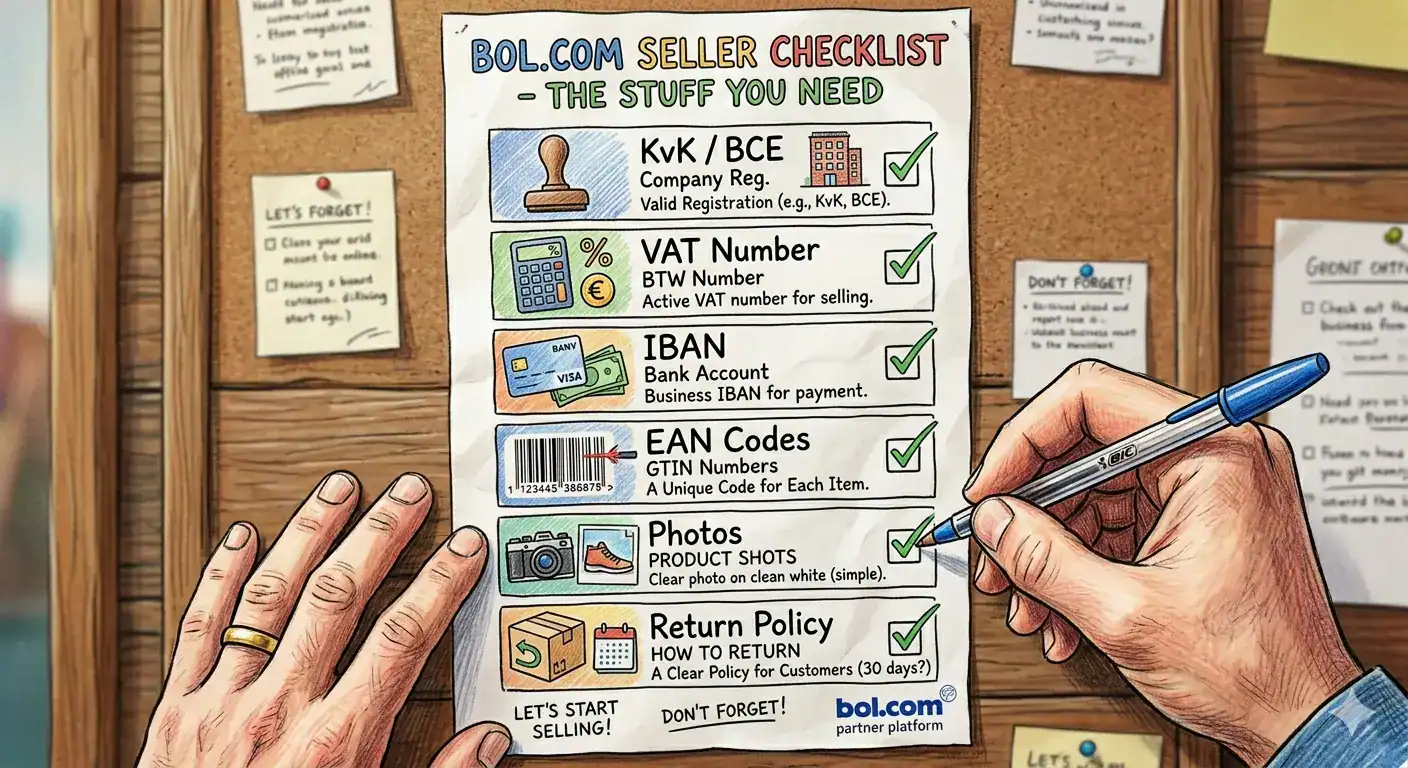
To open a bol.com seller account, you need a registered business in the Netherlands or Belgium, a valid VAT number, and a Dutch or Belgian bank account (IBAN). Every product you list must have a valid EAN (European Article Number) – bol.com does not accept products without one.
Here is the full checklist before you apply:
- Dutch or Belgian business registration (KVK or BCE number)
- Valid VAT identification number
- Dutch or Belgian IBAN bank account
- EAN/GTIN code for every product you plan to list
- Product photos that meet bol.com image guidelines (white background, minimum 500 x 500 px)
- Ability to process returns within 14 days (mandatory under Dutch consumer law)
Non-EU businesses can sell on bol.com but must first register a legal entity in the Netherlands or Belgium. Bol.com does not accept registrations from sole traders outside the EU.
🔗 Related: Selling on Marketplaces vs. Running Your Own Webshop – https://www.koongo.com/blog/selling-on-marketplaces-vs-running-your-own-webshop-what-every-online-store-needs-to-know/
| Practical note – EAN codes If your products do not have EAN codes, you can purchase blocks of GS1-certified codes directly from GS1 Netherlands (gs1.nl) or GS1 Belgium. A block of 10 codes costs approximately EUR 270 and covers 10 unique products. Do not use unofficial EAN generators – bol.com actively validates codes against the GS1 database and will reject invalid entries. |
How the bol.com product catalog works
bol.com maintains a central product catalog where each product is identified by its EAN/GTIN code. If the product already exists in the catalog, sellers only need to create an offer by providing information such as price, stock availability, and delivery details. If the product does not yet exist in the bol.com catalog, the seller must first create the product record and provide additional data including category assignment, title, description, images, and other required attributes before the offer can be published.
📊 GS1 Netherlands reports over 1.2 million unique GTINs registered by Dutch businesses, with EAN compliance mandatory for all major Dutch and Belgian online marketplaces. (gs1.nl)
Which product categories perform best on bol.com?
Electronics, books, toys, sports and outdoor equipment, and household goods consistently generate the highest sales volumes on bol.com. The platform started as a book retailer and still holds a dominant position in that category, but electronics and toys now account for the largest share of third-party seller revenue.
Category performance overview:
| Category | Competition level | Typical margin range |
| Electronics | High | 8-15% |
| Books | Medium | 20-35% |
| Toys | Medium-High | 15-30% |
| Sports & Outdoor | Medium | 20-40% |
| Household goods | Medium | 25-45% |
| Fashion & Clothing | Low-Medium | 30-60% |
| Health & Beauty | Medium | 25-50% |
🔗 Thuiswinkel.org: Dutch e-commerce consumer law and 30-day return right regulations – thuiswinkel.org
Margin ranges are estimates based on typical bol.com commission structures (8-17% depending on category) plus standard shipping costs. Your actual margins will depend on your purchase price, fulfilment method, and return rate.
What is the bol.com Buy Box and how do you win it?
The Buy Box is the primary purchase button on a bol.com product page. When multiple sellers list the same product (identified by its EAN), bol.com algorithmically selects one seller to appear as the default purchase option. The seller in the Buy Box captures the large majority of sales on that listing.
Bol.com has not published the exact weighting of its Buy Box algorithm, but based on seller experience across thousands of accounts, the three decisive factors are:
- Price – the total price including shipping. Bol.com compares the delivered price, not just the product price.
- Delivery speed – sellers offering next-day or same-day delivery score significantly higher. Bol.com Fulfillment (LVB) gives you an automatic delivery speed advantage.
- Seller rating – your average rating across recent orders, return handling time, and cancellation rate all feed into your seller score.
A seller with a slightly higher price but faster delivery and a 9.2 seller rating will routinely outrank a cheaper seller with a 7.8 rating and 3-day shipping. Focus on all three factors simultaneously rather than trying to win on price alone.
| Scenario – how the Buy Box shifts Three sellers list the same LEGO set. Seller A prices it at EUR 49.95 with 1-day delivery and a 9.1 rating. Seller B prices it at EUR 47.95 with 3-day delivery and an 8.4 rating. Seller C prices it at EUR 49.95 with next-day delivery and a 9.4 rating.In most cases, Seller C wins the Buy Box. The combination of fast delivery and a high rating outweighs Seller B’s lower price. Seller A loses despite identical pricing to Seller C because of the lower seller rating. |

How do you set up your bol.com seller account and publish your first listings?
The bol.com seller registration process takes approximately 15 to 30 minutes. You will need your KVK or BCE number, VAT number, and bank account details ready before you start. Bol.com verifies your business registration automatically against the Dutch or Belgian Chamber of Commerce database, so the information must match exactly.
Step-by-step setup process:
- Go to bol.com/verkopen and click “Register as seller”
- Enter your business details (KVK/BCE, VAT, IBAN)
- Verify your email address and complete identity verification
- Accept the bol.com seller agreement and commission schedule
- Set up your seller profile – name, logo, and return policy
- Upload your first product listings with EAN codes, titles, descriptions, and images
- Set your pricing and shipping options for each product
- Activate your listings and wait for bol.com’s content review (typically 1 to 2 business days)
New sellers typically go through a brief “onboarding period” of approximately 2 to 4 weeks during which bol.com monitors order handling, return rates, and seller communication. Your listing visibility increases as you build a positive track record.
How does bol.com handle returns and what do sellers need to prepare for?
Under Dutch and Belgian consumer law, all bol.com buyers have a 30-day return window – longer than the EU legal minimum of 14 days. You must accept all returns within this window, process refunds within 14 days of receiving the returned item, and cover return shipping costs for any product that is not as described.
Return rates on bol.com vary significantly by category:
| Category | Typical return rate |
| Electronics | 5-12% |
| Fashion & Clothing | 25-45% |
| Books | 2-5% |
| Toys | 8-15% |
| Household goods | 6-12% |
A return rate above 15% in most categories will negatively affect your seller score and Buy Box eligibility. Accurate product descriptions, correct sizing information, and high-quality images are the most effective way to reduce returns before they happen.
📊 Statista data shows average e-commerce return rates for fashion in the Netherlands exceed 30%, versus under 8% for books making category selection a key factor in bol.com profitability. (statista.com)
Bol.com requires sellers to respond to customer messages within 24 hours. Failure to meet this threshold consistently will result in lower seller ratings and reduced listing visibility.
How do you connect your Shopify or WooCommerce store to bol.com?
Bol.com uses an API-based connection to integrate with external e-commerce platforms. This is not a feed connection – it is a two-way, real-time sync that handles product listings, inventory updates, and order management simultaneously. Manual CSV uploads are available for very small catalogs (under 50 products) but are not practical for ongoing operations.
To connect your Shopify or WooCommerce store to bol.com via API, you need a tool that supports the bol.com Retailer API. The connection process covers three areas:
- Product sync – your product data (titles, descriptions, images, prices, EAN codes) maps automatically to bol.com’s required listing format
- Inventory sync – stock levels update across your store and bol.com every 5 to 15 minutes, preventing overselling
- Order sync – new bol.com orders import directly into your store backend, so you manage fulfilment from one place
Koongo connects Shopify, WooCommerce, Magento, and PrestaShop stores to bol.com through a wizard-based API setup that does not require any coding. The setup process takes approximately 30 to 30 minutes for a standard catalog of up to 5,000 products.
| API vs. CSV – why it matters A CSV upload to bol.com is a one-time snapshot. If your stock changes after upload, bol.com still shows the old quantity. If a product sells out on your own webshop, bol.com continues accepting orders. An API connection updates inventory in near-real time – typically every 5 to 15 minutes – so you never oversell on bol.com while running low elsewhere. |
What are the shipping and logistics requirements for bol.com sellers?
Bol.com offers two fulfilment models: seller-managed shipping (where you handle delivery yourself) and bol.com Fulfilment (LVB – Logistiek via bol.com, where bol.com warehouses and ships your products). Both are valid options, but they have different cost structures and Buy Box implications.
| Self-managed shipping | Bol.com Fulfilment (LVB) | |
| Delivery speed | Depends on your carrier | Next-day guaranteed |
| Buy Box advantage | Moderate | High |
| Cost | Your carrier rates | EUR 2.50-7.00 per item |
| Returns handling | You manage it | Bol.com manages it |
| Setup complexity | None | Requires inventory send-in |
If you are starting out, self-managed shipping with PostNL, DHL, or DPD is the simplest option. LVB becomes cost-effective when you are selling more than 50 to 100 units per month in categories where next-day delivery is a competitive differentiator.
How do you manage bol.com orders alongside your own webshop without manual work?
Managing bol.com orders manually – downloading a spreadsheet, processing it in your store system, then uploading tracking numbers back – works for 5 to 10 orders per day but breaks down quickly as volume grows. At 30+ orders per day across two channels, manual management typically consumes 2 to 3 hours of operational time daily.
📊 A Shopify merchant efficiency report found that automating order and inventory sync reduces daily operational overhead by an average of 73% for sellers active on two or more channels. (shopify.com/blog)
An automated order management workflow covers:
- New bol.com orders import automatically into your store backend (Shopify, WooCommerce, etc.)
- Stock levels decrement simultaneously in your store and on bol.com
- Shipping labels are generated from your existing carrier setup
- Tracking numbers sync back to bol.com automatically after fulfilment
- Cancellations and returns from bol.com reflect in your store inventory
With a properly configured API integration, the only manual steps are picking, packing, and handing the parcel to the carrier. Everything else runs automatically.
🔗 Related: Shopify + Marketplaces: How to Sell Everywhere From One Place – https://www.koongo.com/blog/how-to-sell-on-more-channels-without-losing-control-of-your-shopify-store/
What are the most common mistakes new bol.com sellers make?
Most problems on bol.com trace back to three root causes: incomplete product data, wrong EAN codes, and unmanaged inventory. Getting these right before you go live saves you from account warnings and poor seller ratings in your first weeks.
| Mistake | What happens | How to avoid it |
| Invalid or missing EAN codes | Product listing rejected outright | Buy GS1-certified EANs before listing |
| Listing all products at once | Stock errors and listing quality issues | Start with your 20-50 best-sellers |
| No real-time inventory sync | Overselling and account warnings | Use API integration from day one |
| Slow customer response | Seller rating drops below 8.0 | Set up email alerts and respond within 12 hours |
| High return rate from poor descriptions | Lost Buy Box + financial losses | Write detailed specs, include dimensions and materials |
| Ignoring commission structure | Selling at a loss without realising it | Calculate total cost before listing (product + commission + shipping) |
🔗 Related: Why Your Products Keep Going Out of Stock on Marketplaces – https://www.koongo.com/blog/why-your-products-keep-going-out-of-stock-on-marketplaces-and-how-to-fix-it/
Frequently Asked Questions
Can I sell on bol.com if my business is registered outside the Netherlands or Belgium?
You need a legal business entity registered in the Netherlands or Belgium to open a bol.com seller account. Non-EU businesses must first establish a local entity or use a fiscal representative. Bol.com does not accept registrations from sole traders or businesses without a Dutch or Belgian KVK/BCE number.
How long does it take to get approved as a bol.com seller?
Account approval typically takes 1 to 3 business days. Bol.com verifies your KVK or BCE number automatically. Once approved, your first product listings go through a content review that takes an additional 1 to 2 business days before they appear in search results.
What commission does bol.com charge sellers?
Bol.com charges a commission of 8% to 17% depending on the product category. Books carry the lowest commission (around 8%). Electronics and household goods typically fall in the 10-13% range. Fashion and personal care can reach 15-17%. There is also a fixed fee of EUR 0.99 per order in addition to the percentage commission.
Do I need to speak Dutch to sell on bol.com?
All product listings on bol.com must be in Dutch. Bol.com also serves Belgian sellers and has a Dutch-French bilingual version (bol.com/be), but the primary language of listings and customer communication is Dutch. If you do not have Dutch-speaking staff, machine translation with human review is acceptable for listings, but customer service must be in Dutch.
Can I use bol.com Fulfilment (LVB) as a non-Dutch business?
Yes, LVB is available to all registered bol.com sellers regardless of where your business is physically located, provided you have a Dutch or Belgian seller account. You ship inventory to bol.com’s warehouses in the Netherlands, and bol.com handles delivery, returns, and customer service for those products.
What is the minimum number of products I need to start selling on bol.com?
There is no minimum. You can start with a single product. In practice, starting with 20 to 50 products gives you enough data to understand which items perform well before expanding your catalog. Sellers who list 500+ products on day one often struggle with listing quality issues and stock management errors.
How does bol.com handle VAT for sellers?
You are responsible for collecting and remitting VAT on all bol.com sales. Bol.com does not handle VAT on your behalf. Dutch standard VAT rate is 21% (9% for books, food, and certain other categories). If you sell to Belgian customers, Belgian VAT rates apply. Many bol.com sellers use accounting tools or a VAT fiscal representative to manage cross-border VAT obligations.
| Ready to start selling on bol.com? Koongo connects your Shopify, WooCommerce, or Magento store to bol.com via API integration – handling product sync, inventory updates, and order management automatically. Plans start from EUR 12/month with a 7-day free trial. No credit card required.Visit koongo.com to start your free trial and have your first bol.com listings live within a day. |