Your customers have started asking ChatGPT what to buy. “A carry-on backpack that fits under the seat,” “a quiet fan for a small bedroom,” and the assistant may answer with real products: images, prices, and a link to a store. Accurate product data helps ChatGPT understand what you sell, and a product feed is the structured way to supply it. Submitting a feed doesn’t guarantee that your products appear in any given answer, but without one, ChatGPT has nothing reliable to work with.
Expanding to a new marketplace shouldn’t cost you hours of listing work. NordicSneakers, a fast-growing Danish sneaker marketplace, lets you list with just a SKU and a size, then builds and markets the product pages for you. Here’s how selling on NordicSneakers works, who it suits, and how to run it alongside your other sales channels without overselling.
This comparison is based on publicly available fee schedules, official marketplace documentation, and verified third-party sources as of mid-2026. Fees change regularly. Always verify against your platform’s seller portal before making pricing decisions.
TL;DR
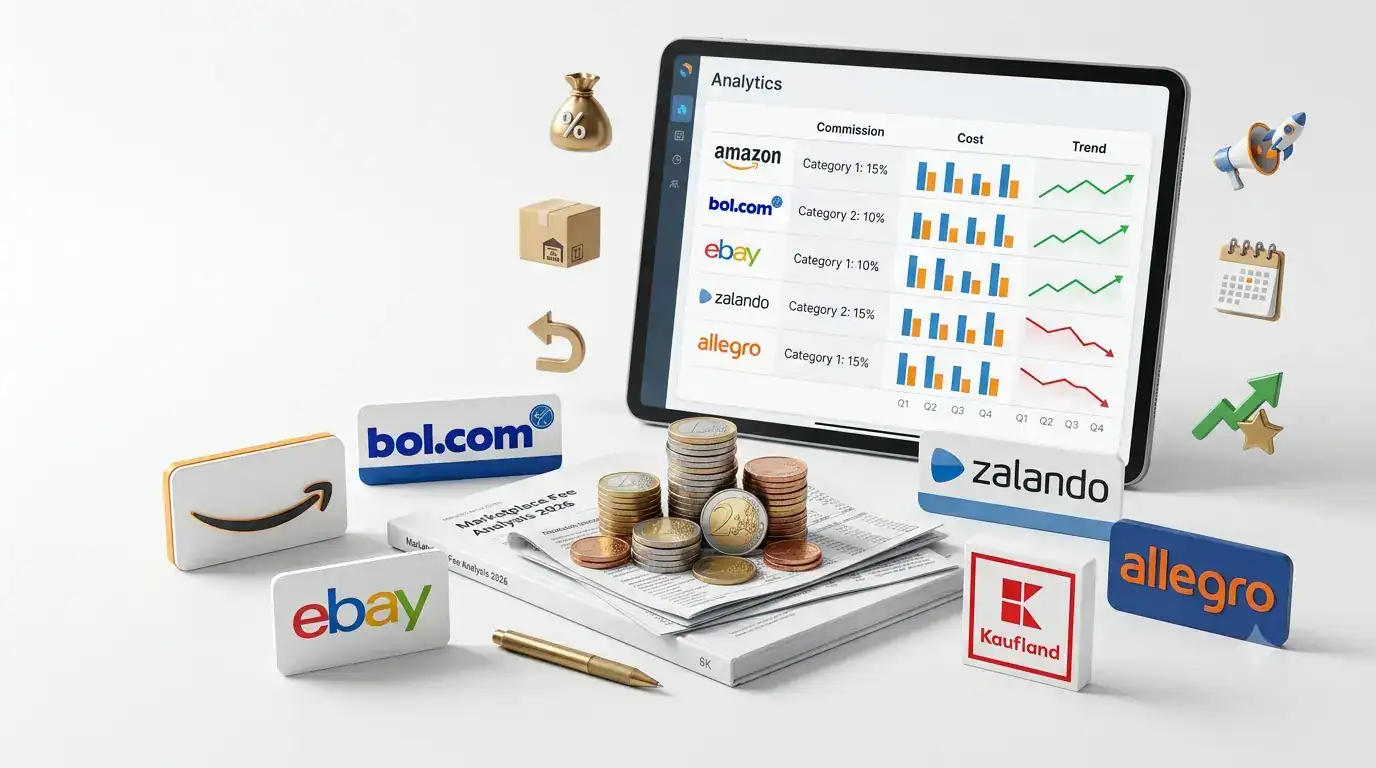
Commission fees across major European marketplaces range from 5% to 25% of the selling price, depending on category and platform. Amazon reduced its EU referral fees in early 2026 by an average of EUR 0.17 per unit, one of its largest-ever European fee cuts. Clothing now starts at 5% for items under EUR 15.
bol.com charges no monthly seller fee: you pay commission only when you sell. Rates run from 5% to 17% plus a fixed amount per transaction.
Zalando’s total selling cost is the highest of any platform reviewed here: commission of 8-25% plus a monthly fee of EUR 40, and additional marketing spend that partners call effectively mandatory for visibility.
The headline commission rate is never the full cost. FBA fulfillment, return processing, advertising, and monthly fees routinely add 10-20 percentage points to your effective cost per sale.
Marketplace fees are one of the most researched topics in e-commerce, and one of the most misunderstood. Most guides compare headline commission rates as if they were the only cost. In practice, the commission is one line in a fee stack that can include monthly seller fees, fulfillment costs, return processing fees, advertising spend, and payment processing charges.
This comparison covers the six most relevant marketplaces for European merchants: Amazon, bol.com, eBay, Zalando, Allegro, and Kaufland, with current 2026 rates, the hidden costs that rarely appear in overview tables, and a realistic total-cost model for a sample product to show what you actually pay per sale.
An ecommerce glossary is a reference library of terms used across online retail – covering advertising metrics, technical integrations, operational systems, marketplace concepts, and feed management terminology. This glossary is designed for online merchants, ecommerce managers, and digital marketing teams who work with platforms like Shopify, WooCommerce, Amazon, bol.com, and Google Shopping.
Every term in this glossary includes: a clear definition, an AI-optimised summary for quick reference, a concrete ecommerce example, common mistakes to avoid, best practices, and links to related articles and guides.
TL;DR
This glossary covers 35+ essential ecommerce terms with definitions, examples, common mistakes, and best practices – built for online merchants who want to understand the language of multichannel selling.
Key terms span product feeds, marketplace integration, advertising metrics (ROAS, CPC, CTR), and operational systems (ERP, PIM, OMS).
Each entry includes an AI-ready summary, a concrete ecommerce example, and links to relevant guides.
Use the A-Z index below to navigate directly to any term, or scroll through the full glossary alphabetically.
This glossary covers 50+ marketplace terms with definitions, examples, common mistakes, and best practices – built for merchants selling on Amazon, bol.com, Zalando, eBay, Kaufland, and Allegro.
Includes platform-specific terminology for each major European marketplace, plus a full A-Z of universal marketplace and integration terms.
Use the “Frequently Confused Marketplace Terms” section to quickly clarify common misunderstandings (FBA vs FBM, ASIN vs SKU, etc.).
To sell on OnBuy, you register as a seller, list your products in the format OnBuy requires, and keep your stock and orders in sync. The quickest way to do all three is to connect your existing store to OnBuy with Koongo, which automates the data work so you can list in an afternoon rather than a month.
But before the how, the why. OnBuy has a few things going for it that set it apart from the marketplaces most sellers start with. Here’s what OnBuy is, why sellers are moving to it, the one real challenge in getting listed, and exactly how Koongo handles that challenge.
This offer is an early-bird deal: pay for one month of your seller subscription by 31 July 2026, and your next 12 months of subscription are free, so you get 13 months of selling for the price of one. Because OnBuy, easyShop, and Comet all run on the same OnCommerce account, that single subscription covers all three marketplaces as they launch. Standard selling fees on your actual sales still apply, so it’s the subscription cost that’s waived, not selling on the platform entirely.
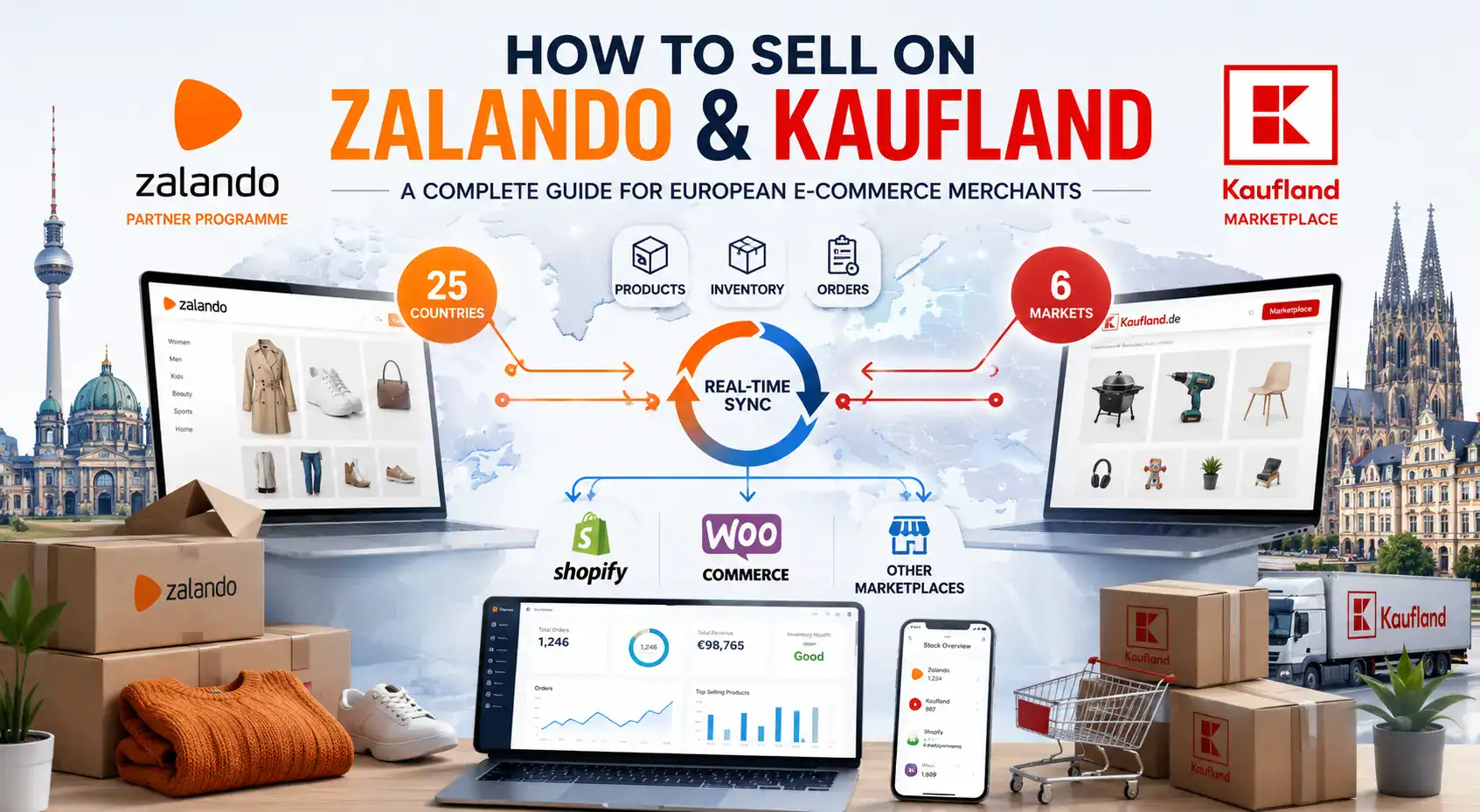
Kaufland Marketplace covers Germany, Austria, Czech Republic, Slovakia, Poland, and Romania, with 35+ million monthly visitors and relatively low competition in many categories.Both platforms use API-based connections, not product feeds – setup is done through an integration wizard, not a CSV upload.Zalando’s data quality requirements are among the strictest of any European marketplace: images, product descriptions, and size guides must meet publisher-level standards.
Running Zalando and Kaufland alongside your own store requires automated inventory and order sync – manual management becomes unsustainable above 50 orders per day.
Two of Europe’s fastest-growing marketplaces sit at opposite ends of the onboarding spectrum. Zalando is a premium fashion and lifestyle platform with 50+ million active customers across 25 countries – but getting access requires a formal application, brand review, and a commitment to content standards that most marketplaces do not demand. Kaufland Marketplace, by contrast, is an open-application general marketplace covering six Central European markets with over 35 million monthly visitors and a product mix ranging from electronics to garden furniture.
For European merchants, both represent significant revenue opportunities that most competitors have not yet fully exploited. This guide walks through what each platform requires, where the differences lie, and how to build a workflow that lets you manage both channels alongside your existing store without doubling your operational workload.
Amazon is the world’s largest online marketplace, with over 300 million active customer accounts globally and annual third-party seller revenue exceeding $140 billion. For European merchants, selling on Amazon is not just a growth option – it is increasingly a baseline expectation in competitive product categories.
The good news: the barriers to entry are lower than most sellers expect. You do not need a US legal entity, a US bank account, or a dedicated development team to get started. What you do need is a clear understanding of how Amazon’s seller infrastructure works, what product data requirements you must meet, and how to keep your inventory and orders in sync across channels once you are live.
This guide covers everything a European merchant needs to know before listing their first product on Amazon – from account setup and VAT obligations through to product attributes, common errors, and multi-channel order management.
Key Takeaways
European merchants sell via Seller Central using a pan-European or individual marketplace account – no US entity required.
Amazon Vendor Central is an invite-only wholesale programme; most independent merchants use Seller Central.
Each Amazon marketplace has specific product attribute requirements – what works on amazon.de may need adjustment for amazon.fr or amazon.nl.
VAT compliance is the most overlooked cost for new Amazon sellers expanding across EU countries.
Automating inventory and order sync between your existing store and Amazon prevents overselling and reduces manual workload significantly.
Pricing and features verified as of June 2026, based on koongo.com/pricing, datafeedwatch.com/pricing, and independent user reviews on G2, Capterra, and Tekpon.
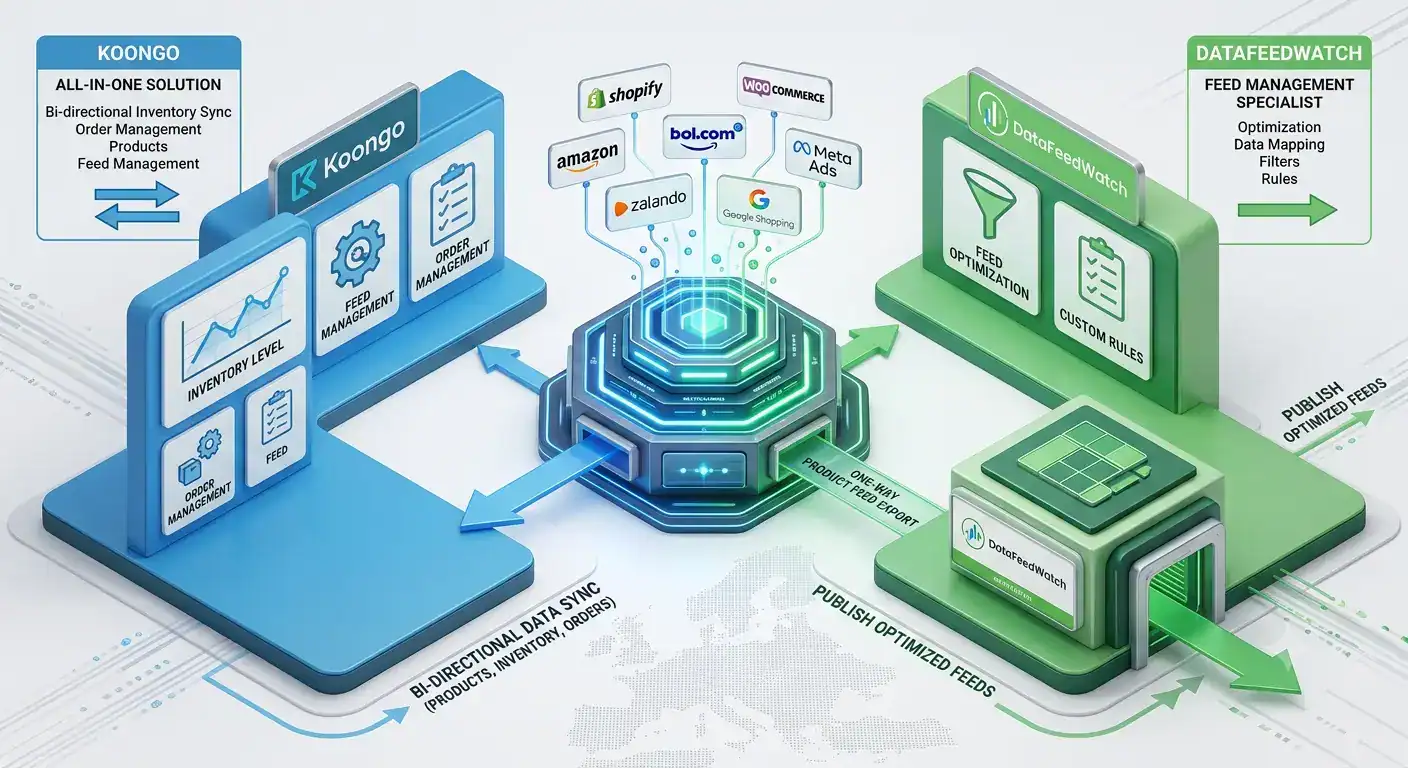
TL;DR The main difference is feed management vs marketplace management: DataFeedWatch focuses on feed optimisation for advertising channels, while Koongo combines feed management with marketplace API integration, order sync, and inventory sync.
Koongo offers a permanent Free Plan and paid plans from EUR 12/month with a 7-day free trial – no credit card required. Feed Manager is included in every plan as standard. Marketplace Manager is an add-on service and combining both costs the same as Marketplace Manager alone.
DataFeedWatch’s plans start at EUR 54/month for the Shop tier, with no permanent free plan.
Koongo’s marketplace order and inventory synchronization – and its bol.com Silver Partner status – are key differentiators for merchants selling directly on marketplaces, not just running ad feeds.
DataFeedWatch’s larger channel library (2,000+ across 60+ countries) suits agencies focused purely on advertising feed optimisation.
If you are comparing product feed tools, the decision usually comes down to one core distinction: feed management vs marketplace management. Feed management tools optimise and distribute your product data to advertising and comparison channels like Google Shopping or Meta Ads. Marketplace management goes further – it connects your store directly to marketplaces like Amazon, bol.com, or Zalando, syncing not just product listings but also inventory and orders.
This comparison is for merchants evaluating Koongo Pricing against DataFeedWatch as a DataFeedWatch alternative – particularly those selling on multiple marketplaces and channels from Shopify, WooCommerce, or Magento. DataFeedWatch is built primarily for feed management. Koongo combines feed management and marketplace integration software in one platform, which matters most if your roadmap includes direct marketplace selling rather than advertising feeds alone.
Below, we compare pricing, features, marketplace coverage, ease of use, and real costs for a sample store, so you can see which platform fits your specific situation.
A new marketplace, easyShop, is launching for peak season 2026, and if you already sell on OnBuy you’re closer to being on it than you might think. The reason is OnCommerce: the platform that connects OnBuy, easyShop, and the returning Comet brand, letting sellers reach all three through a single account and a single product catalogue.
But what exactly is OnCommerce, how does the one-account model work, and what does each marketplace offer a seller? This guide breaks it down in plain terms: what OnCommerce is, the three marketplaces it powers, how listings, stock, and payments stay in sync across them, and the early-bird offer that gives you 12 months of subscription free if you join by 31 July 2026. We also cover how to connect your store to all three with Koongo, with no coding required.
Koongo uses cookies to improve your experience. By clicking “Accept”, you consent to the use of ALL the cookies. However, you may visit Cookie Settings to provide controlled consent. Cookie settingsACCEPT
Cookies
Privacy Overview
Koongo uses cookies to improve your experience while you navigate through the website. These cookies will be stored in your browser only with your consent. Learn more
Necessary cookies are absolutely essential for the website to function properly. This category only includes cookies that ensure the basic functionalities and security features of the website. These cookies do not store any personal information.
Cookie
Type
Duration
Description
_GRECAPTCHA
1
5 months 27 days
This cookie is set by Google. In addition to certain standard Google cookies, reCAPTCHA sets a necessary cookie (_GRECAPTCHA) when executed for the purpose of providing its risk analysis.
cookielawinfo-checkbox-advertisement
1
1 year
The cookie is set by GDPR cookie consent to record the user consent for the cookies in the category "Advertisement".
cookielawinfo-checkbox-analytics
1
1 year
This cookies is set by GDPR Cookie Consent WordPress Plugin. The cookie is used to remember the user consent for the cookies under the category "Analytics".
cookielawinfo-checkbox-live-chat
1
1 year
No description
cookielawinfo-checkbox-necessary
0
11 months
This cookie is set by GDPR Cookie Consent plugin. The cookies is used to store the user consent for the cookies in the category "Necessary".
cookielawinfo-checkbox-non-necessary
0
11 months
This cookie is set by GDPR Cookie Consent plugin. The cookies is used to store the user consent for the cookies in the category "Non Necessary".
cookielawinfo-checkbox-performance
1
1 year
This cookie is set by GDPR Cookie Consent plugin. The cookie is used to store the user consent for the cookies in the category "Performance".
gr
1
90 days
This cookie is used by Reditus Affiliate system. Reditus does not build a tracking profile - learn more.
intercom-device-id-tctfy2ty
persistent
9 months
First party cookie is set by Intercom for Messenger. Used to identify the device interacting with the Messenger in order to improve security.
intercom-id-tctfy2ty
persistent
9 months
First party cookie is set by Intercom for Messenger. Anonymous visitor identifier cookie. Allows visitors to see any conversations they've had on Koongo websites.
intercom-session-tctfy2ty
session
7 days
First party cookie is set by Intercom for Messenger. Allows users to access their conversations and have data communicated on logged out pages for 1 week. Identifier for each unique browser session. This session cookie is refreshed on each successful logged-in ping, extending it one week from that moment.
language
0
1 week
Cookie for the language selector on the website.
viewed_cookie_policy
0
11 months
The cookie is set by the GDPR Cookie Consent plugin and is used to store whether or not user has consented to the use of cookies. It does not store any personal data.
We use these cookies to allow live-chat on the website.
Cookie
Type
Duration
Description
__cfruid
1
session
This cookie is set by the provider Cloudflare. This cookie is used for load balancing and for identifying trusted web traffic.
AWSALBCORS
1
7 days
This cookie is used for load balancing services provded by Amazon inorder to optimize the user experience. Amazon has updated the ALB and CLB so that customers can continue to use the CORS request with stickness.
Analytical cookies are used to understand how visitors interact with the website. These cookies help provide information on metrics the number of visitors, bounce rate, traffic source, etc.
Cookie
Type
Duration
Description
_ga
0
2 years
This cookie is installed by Google Analytics. The cookie is used to calculate visitor, session, camapign data and keep track of site usage for the site's analytics report. The cookies store information anonymously and assigns a randoly generated number to identify unique visitors.
_gid
0
1 day
This cookie is installed by Google Analytics. The cookie is used to store information of how visitors use a website and helps in creating an analytics report of how the wbsite is doing. The data collected including the number visitors, the source where they have come from, and the pages viisted in an anonymous form.
_uv_id
session
2 years
The cookie is set by Google Analytics. The cookie is used to collects data on the user’s visits to the website, such as which pages have been read.
SL_C_23361dd035530_SID
0
2 years
This cookie is installed by Smartlook. The cookie contains the project key, session ID, and visitor ID. Session and visitor IDs are unique identifiers assigned to new sessions and visitors.
UIDR
0
1 year
This cookie is set bu scorecardresearch.com. The cookie is used to tracks the users activity across the internet on the browser such as visit timestamp, IP address, and most recently visited webpages. and may the data send to 3rd party for analysis and reporting to help their clients better understand user preferences.
Performance cookies are used to understand and analyze the key performance indexes of the website which helps in delivering a better user experience for the visitors.
Cookie
Type
Duration
Description
_gat
0
1 minute
This cookies is installed by Google Universal Analytics to throttle the request rate to limit the colllection of data on high traffic sites.
Advertisement cookies are used to provide visitors with relevant ads and marketing campaigns. These cookies track visitors across websites and collect information to provide customized ads.
Cookie
Type
Duration
Description
__oaiq_consent
persistent
1 year
Set by the OpenAI Ads Pixel (ChatGPT Ads). Stores the visitor's measurement consent state for the pixel.
__obref
persistent
1 year
Set by the OpenAI Ads Pixel (ChatGPT Ads). Stores a random browser identifier used to measure conversions from ChatGPT ads.
__oppref
persistent
30 days
Set by the OpenAI Ads Pixel (ChatGPT Ads). Stores the ad click reference from the landing URL to attribute conversions to ChatGPT ads.
_gcl_au
persistent
3 months
Used by Google AdSense for experimenting with advertisement efficiency across websites using their services
IDE
persistent
1 year
This cookie is set by Doubleclick and carries out information about how the end user uses the website and any advertising that the end user may have seen before visiting the said website.
NID
1
6 months
This cookie is used to a profile based on user's interest and display personalized ads to the users.
test_cookie
session
11 months
The cookie is used to check if the user’s browser supports cookies.
uid
0
1 year
This cookie is used to measure the number and behavior of the visitors to the website anonymously. The data includes the number of visits, average duration of the visit on the website, pages visited, etc. for the purpose of better understanding user preferences for targeted advertisments.