





Menu

Koongo for WooCommerce

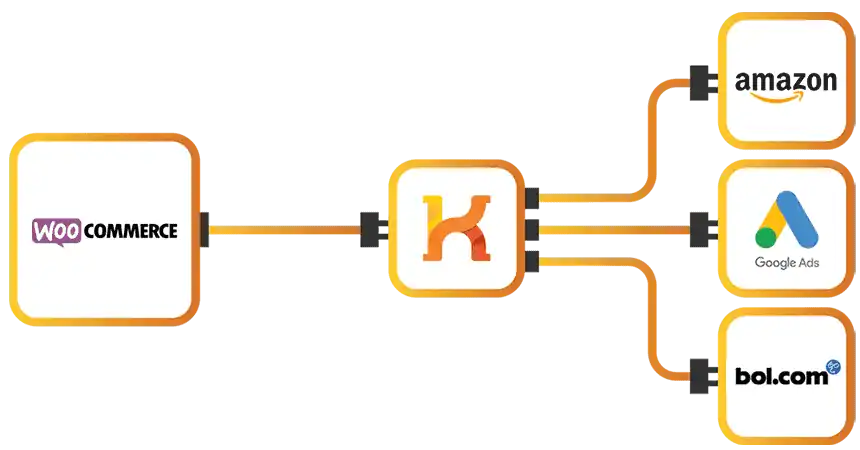
Expand your market coverage. And discover new selling opportunities. Koongo helps you to publish your products on channels like Amazon - Google Ads - Bol.com - Marktplaats.nl - Idealo - eBay - Cdiscount - Bing Ads - Webgains - Manomano - Fruugo - Pricerunner or Wish.

WooCommerce is an e-commerce platform designed with a focus on simplicity and customization. The platform allows merchants to create the webshops of their dreams using numerous Wordpress e-commerce plugins. WooCommerce is one of the most popular platforms on the internet with more than 20 million downloads.

What is WooCommerce?

WooCommerce turns any WordPress website into a powerful online store. It's fully customizable, scalable, and supported by a global community of developers. From small online shops to enterprise-level catalogs, WooCommerce gives you full control over your products, orders, and customer experience.

Koongo for WooCommerce enhances your store with powerful feed automation, order integration, and advanced channel management. You can sell on global marketplaces, price comparison sites, and marketing platforms — all without leaving your WordPress admin panel.

With Koongo, you can:

  • Automatically sync product data like price, stock, images, and descriptions across all your channels

  • Import marketplace orders directly into WooCommerce for centralized fulfillment

  • Customize product feeds per platform using filters, pricing rules, and feed logic

  • Export product data in multiple formats, ready for 500+ channels worldwide

placeholder image

Why integrate Koongo with WooCommerce

Koongo empowers WooCommerce merchants to sell on 500+ marketplaces, price comparison sites, and social platforms—automatically. From product listing management to inventory sync and order automation, Koongo helps you grow your multichannel sales directly from your WooCommerce store.

Image icon

Step-by-step integration Wizard

Koongo’s easy-to-use wizard walks you through connecting your WooCommerce store to popular sales channels like Amazon, Bol.com, and eBay. Built-in health checks ensure a smooth, error-free setup—no tech experience required.

Image icon

Product listing automation

Automatically sync your product listings from WooCommerce to all connected channels. Koongo ensures your data is consistent and always up to date, saving you time and reducing manual errors.

Image icon

Frequent inventory updates

Koongo regularly updates your stock levels across every platform connected to your WooCommerce store. This helps prevent overselling and keeps your inventory accurate, even during busy sales periods.

Image icon

Automatic order syncing

Koongo imports marketplace orders directly into your WooCommerce store and updates your inventory in real-time. Centralize your order processing, streamline fulfillment, and save hours of manual work.

Image icon

Product customization

Fine-tune your product data using Koongo’s Macro Editor. Modify pricing, filter items, and adjust attributes to meet the exact specifications of each marketplace—automatically.

Image icon

Affordable pricing

With pricing starting at €19/month, Koongo offers a flexible, usage-based model. You pay only for what you use—products, feeds, and channels—making it cost-effective for WooCommerce stores of all sizes.

How to get started with Koongo for WooCommerce

Getting started with Koongo and WooCommerce is simple. Follow these steps to connect your store and begin selling across multiple channels:

1. Install Koongo & start your trial
2. Choose integration type: Marketplace Wizard or Product Feed
3. Launch & sync your listings
  1. 1. Install Koongo & start your trial: Install the Koongo plugin from the WordPress Plugin Directory and activate your 30-day free trial. No credit card required.
  2. 2. Choose integration type: Marketplace Wizard or Product Feed:

    Use the Integration Wizard to set up product feeds or connect directly to marketplace APIs such as Amazon, Google Shopping, eBay, or Facebook. Customize each feed with filters and rules.

  3. 3. Launch & sync your listings: Go live in just a few clicks. Publish optimized listings and sync order and inventory data automatically — all from your Koongo dashboard.

Start selling with Koongo today

or contact us for more details