

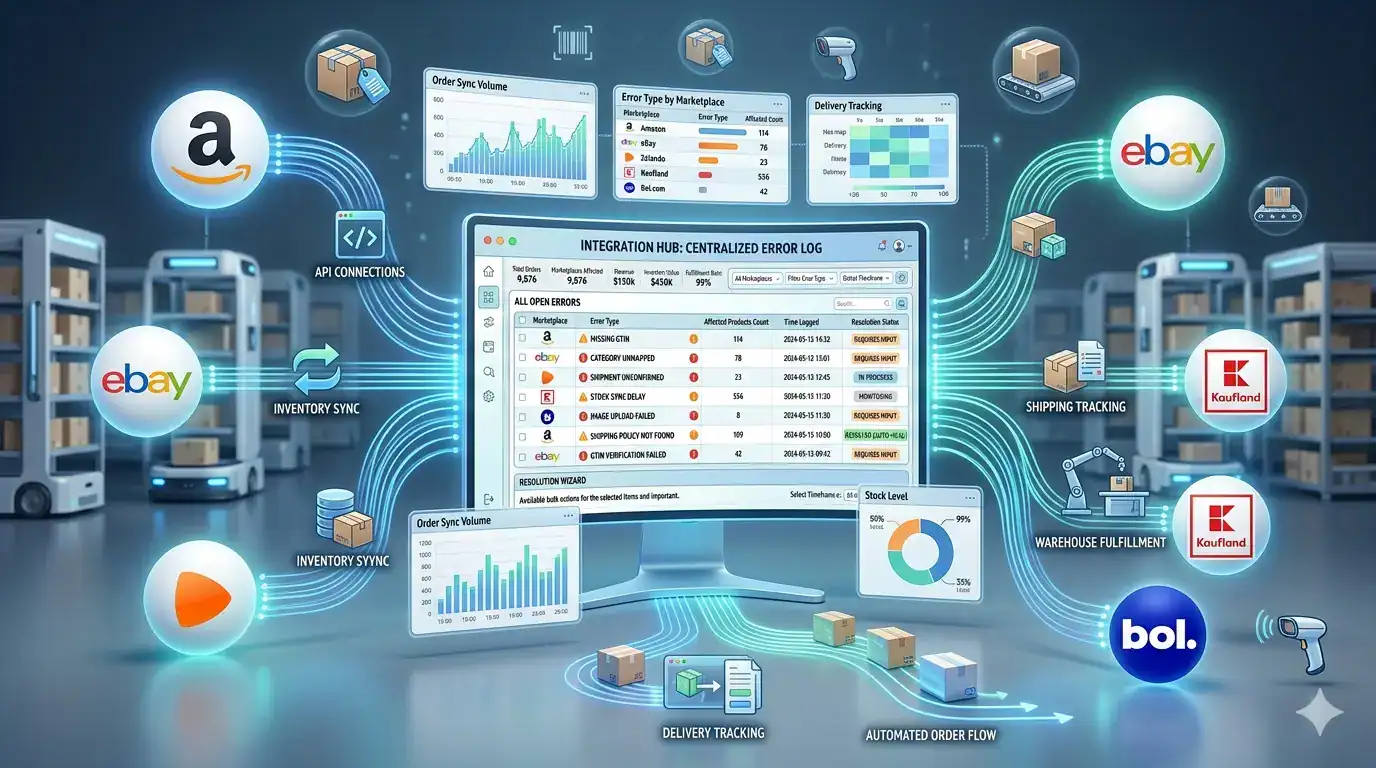
Selling on a marketplace is not the same as submitting a product feed to an advertising channel. When a customer buys from you on bol.com or Amazon, a commercial transaction happens that your store needs to know about, fulfil, and confirm – and the marketplace needs to receive real-time stock updates to prevent the next customer from ordering something you no longer have. This two-way operational relationship is what marketplace integration is built to manage.
This guide covers everything you need to understand about how marketplace integration works – the technical foundations, the order and inventory sync mechanics, returns handling, and the specific errors that cause the most disruption for sellers operating across multiple channels simultaneously.
| TL;DR • Marketplace integration connects your store to platforms like Amazon, bol.com, and Zalando via API – enabling two-way sync of products, orders, inventory, and shipping confirmations. • Feed management and marketplace integration solve different problems. Feed management distributes product data to advertising channels. Marketplace integration handles the full commercial relationship with a marketplace, including orders. • API-based integration is the only approach that reliably handles order sync, real-time inventory updates, and shipping confirmation at scale. File-based feeds cannot do this. • Every marketplace has its own product data requirements, order flow, and returns policy. Integration must handle all three correctly for each channel. • The most common integration failures trace back to incorrect attribute mapping, stale inventory data, and missing shipment confirmations – all preventable with the right setup. • Sellers managing 3+ marketplaces manually spend an estimated 15-25 hours per week on tasks that a proper integration reduces to under 2 hours. |
What is the difference between marketplace integration and feed management?
Feed management and marketplace integration are related but solve fundamentally different problems. Understanding the distinction matters because merchants often assume that if they have a product feed running to Google Shopping or Meta Ads, they have what they need for marketplace selling. They do not.
| Dimension | Feed Management | Marketplace Integration |
| Primary purpose | Distribute product data to advertising and comparison channels | Enable full commercial selling on a marketplace – listings, orders, inventory, fulfilment |
| Connection type | File-based (XML, CSV, TXT) delivered via URL or FTP | API-based – two-way, real-time or near-real-time data exchange |
| Data direction | One-way: your store sends data to the channel | Two-way: products go out, orders and inventory changes come back in |
| Order handling | Not involved – no orders flow through a feed | Central function – marketplace orders import directly into your store |
| Inventory sync | Periodic update of stock fields in the feed file | Real-time or near-real-time stock sync triggered by every sale on any connected channel |
| Channels | Google Shopping, Meta Ads, Idealo, Beslist, price comparison sites | Amazon, bol.com, Zalando, Kaufland, eBay, Miinto, Allegro, and similar marketplaces |
| What happens if it breaks | Ads show wrong data or products disapprove | Orders are not received, inventory goes out of sync, customers buy out-of-stock products |
Some platforms blur this line. bol.com, for example, can receive products via a CSV feed but requires API integration for proper order sync, real-time inventory updates, and shipment confirmation. Treating bol.com as a feed-only channel – uploading products manually and checking the seller portal for orders – works for the first 10-20 orders per week. Beyond that, it becomes operationally unsustainable.

How do you connect to multiple marketplaces from one store?
Connecting your Shopify, WooCommerce, or Magento store to multiple marketplaces requires three things: a connection to each marketplace’s API, product attribute mapping for each channel’s specific data requirements, and a management layer that handles the ongoing flow of data in both directions. This is what a marketplace integration platform provides.
The connection process for each new marketplace follows a consistent pattern, regardless of which platform you are adding:
- Marketplace seller account setup – Before any technical integration is possible, you need an approved seller account on the target marketplace. Each marketplace has its own application and verification process, typically taking 2-10 business days. Some – like Zalando – require a formal partnership agreement and are not open to all sellers.
- API credentials – Once approved, the marketplace provides API credentials (client ID, secret key, or seller token) that your integration tool uses to authenticate the connection. These are entered once in your feed management or integration platform.
- Product attribute mapping – Each marketplace has its own required and optional product fields, its own category taxonomy, and its own data format requirements. You map your store’s product fields to the marketplace’s fields using the integration tool’s mapping interface – typically a visual drag-and-drop or dropdown selector, with no coding required.
- Feed rules and filters – Configure which products to send to this marketplace and any transformations needed. For example: exclude products below EUR 15 margin, add the brand name to every title, convert prices from EUR to GBP for the UK marketplace, or set a safety buffer of 5 units on all stock quantities.
- Initial product submission – The integration tool submits your product catalog to the marketplace. The marketplace validates each product against its requirements and returns approval or rejection status for each item.
- Order sync activation – Enable order import so that marketplace orders appear in your store dashboard automatically. Configure shipment confirmation so that when you mark an order as shipped in your store, the tracking number is sent to the marketplace and on to the buyer.
- Inventory sync frequency – Set how often stock levels update on this marketplace. For channels where you sell the same inventory as your webshop, 15-minute sync intervals are standard. For lower-volume channels with dedicated stock, 30-minute updates are typically sufficient.
| How long does a new marketplace integration take? With a marketplace integration tool like Koongo, the technical setup for a new channel – from entering API credentials to first products live – typically takes 1 to 3 hours for a standard integration. The majority of that time is attribute mapping and resolving initial product validation errors (most commonly missing GTINs or incorrect category assignments).Without an integration tool, the same setup requires custom development work, typically 20-80 hours of developer time per marketplace, plus ongoing maintenance when the marketplace updates its API. |
What is the difference between API integration and feed-based integration?
API integration and feed-based integration are two fundamentally different technical approaches to connecting your store to an external channel. Both can get your products listed – but they differ significantly in what they can handle beyond the initial listing.
| Capability | API Integration | Feed-Based Integration |
| Product listing | Yes – submitted via API calls | Yes – submitted via file upload or URL fetch |
| Real-time inventory sync | Yes – stock update sent immediately when a sale occurs on any channel | No – inventory only updates when the next scheduled feed file is generated and fetched |
| Order import | Yes – orders flow automatically into your store within minutes of placement | No – orders must be checked and processed manually in the marketplace portal |
| Shipment confirmation | Yes – tracking numbers sent to marketplace automatically when order is shipped | No – must be entered manually in the marketplace seller portal per order |
| Price updates | Yes – price changes propagate within minutes | Delayed – depends on feed refresh schedule (minutes to hours) |
| Product updates (new / edit / delete) | Yes – changes applied in near-real-time | Delayed – next feed refresh cycle |
| Error feedback | Immediate – API returns validation errors per product in the same session | Delayed – channel processes the file and reports errors hours later |
| Suitable for high order volume | Yes – scales to thousands of orders per day without manual work | No – manual order processing becomes a bottleneck above 20-30 orders per day |
The practical conclusion: feed-based integration is a starting point or a fallback for channels that do not offer a full API. For any marketplace where you expect more than 20-30 orders per week, API integration is the only approach that remains manageable at scale. Every major European marketplace – Amazon, bol.com, Zalando, Kaufland, Allegro, Miinto – offers a seller API specifically because file-based approaches cannot handle the operational requirements of active sellers.
How API integration works under the hood
You do not need to understand the technical details to use API integration – but knowing the basics helps you set realistic expectations about update timing and error handling.
- Your integration tool maintains a persistent authenticated connection to each marketplace API using the credentials you provided during setup.
- When a product changes in your store (price, stock, description), the integration tool detects the change and sends an API call to the marketplace with the updated data. This typically happens within 1-5 minutes of the change in your store.
- When a customer places an order on the marketplace, the marketplace sends an API notification to your integration tool. The tool creates the order in your store within minutes, so it appears alongside your webshop orders in your normal fulfilment workflow.
- When you mark the order as shipped and enter a tracking number, the integration tool sends a shipment confirmation API call to the marketplace. The marketplace then sends the tracking information to the buyer automatically.
- The integration tool logs every API interaction and flags errors – for example, a product that the marketplace rejected because of a missing attribute – so you can review and resolve them without manually checking the marketplace portal.

How does order synchronization work?
Order synchronization is the process that imports marketplace orders into your store automatically and keeps the entire fulfilment workflow – picking, packing, shipping, and tracking – running from one central place rather than across multiple marketplace portals. It is the operational core of any serious multichannel selling setup.
A properly configured order sync flow works as follows:
| Step | What Happens | Timing |
| 1. Customer places order on marketplace | Buyer completes purchase on Amazon, bol.com, or another marketplace. The marketplace confirms the order to the buyer. | Instant |
| 2. Order imported to your store | The integration tool receives the order via API and creates it in your Shopify, WooCommerce, or Magento backend. It appears in your normal orders dashboard. | Within 1-15 minutes of order placement |
| 3. Inventory decremented | The quantity sold is subtracted from your store’s stock level for that product. This triggers inventory sync to all other connected channels simultaneously. | Within minutes of order import |
| 4. Order picked and packed | Your warehouse team sees the order in your normal fulfilment flow – no need to log into the marketplace portal. They pick and pack the order as usual. | Your standard processing time |
| 5. Shipment marked in your store | You mark the order as shipped in your store dashboard and enter the carrier tracking number. This is the only action required on your side. | When order leaves your warehouse |
| 6. Shipment confirmation sent to marketplace | The integration tool sends the tracking number to the marketplace via API. The marketplace updates the order status and notifies the buyer. | Within minutes of step 5 |
| 7. Marketplace closes the order | The marketplace marks the order as fulfilled. Payment is released to your seller account on the marketplace’s normal payout schedule. | Varies by marketplace (daily to weekly payouts) |
The key operational benefit is step 4: your fulfilment team never needs to log into any marketplace portal to process orders. Everything flows through your central store backend. A team processing 100 orders per day across bol.com, Amazon, and their own webshop handles all 100 in one place – with no channel-switching, no manual data entry, and no risk of processing the same order twice.
| Real-world scenario: 3 channels, 80 orders per day A Belgian home goods retailer sells on their WooCommerce webshop, bol.com, and Amazon.de simultaneously. Before integration: two staff members spend 3 hours each morning manually copying bol.com and Amazon orders into their WooCommerce backend, updating stock in the seller portals, and entering tracking numbers. Errors occur weekly.After integration: all 80 daily orders appear in WooCommerce automatically. Stock updates propagate to all channels within 15 minutes of each sale. Tracking numbers reach both marketplaces automatically when orders are shipped. Staff time on order management: from 6 hours per day to 20 minutes of exception handling. |
How do you manage returns and cancellations across marketplaces?
Returns and cancellations are the most operationally complex part of marketplace selling – and the part most likely to damage your seller performance score if handled incorrectly. Each marketplace has its own returns policy, its own timelines, and its own penalties for non-compliance.
| Marketplace | Buyer Return Window | Return Shipping Cost | Seller Response Time | Performance Penalty for Late Handling |
| bol.com | 30 days (all categories) | Free for buyer – seller absorbs cost | 48 hours to process return | Performance score reduction; Buy Box eligibility affected |
| Amazon | 30 days standard; 90 days for some categories | Free for buyer via Amazon return label | 2 business days to issue refund after return received | Account health metric impact; possible listing suspension |
| Zalando | 100 days (their standard policy) | Free for buyer – Zalando covers cost | 14 days to process refund | Partner performance score; potential offboarding for persistent issues |
| Kaufland | 30 days | Buyer pays unless item defective | 14 days to process refund | Seller rating reduction |
| eBay | 30 days (seller-configured) | Varies by seller policy | 3 business days to respond | Seller defect rate impact; loss of Top Rated status |
🔗 [Source: Zalando Partner Program]
A return that arrives at your warehouse needs to be processed through the marketplace’s return system – not just restocked. Each marketplace has a specific workflow: you receive the return notification via your integration tool, inspect the item, confirm receipt in the marketplace portal (or via API), and issue the refund. Missing any step in this workflow triggers a performance penalty even if you physically received the item.
How to handle cancellations without damaging your seller score
Order cancellations are treated differently from returns by marketplace algorithms. A cancellation happens before the order is shipped – and if the cancellation is due to the seller (out of stock, unable to fulfil), it is recorded as a seller-fault cancellation and penalizes your performance score.
On bol.com, the cancellation rate threshold is 2%. If your seller-fault cancellation rate exceeds 2% of total orders in a rolling 30-day period, bol.com issues a formal warning and may restrict your account. The primary cause of seller-fault cancellations is overselling – a customer orders a product that shows as available on bol.com but is actually out of stock because another channel sold the last unit and the inventory did not sync in time.
🔗 [Source: bol.com Seller Help: cancellation rate policy and performance ]
- Prevention: set an inventory buffer in your integration settings. A buffer of 3-5 units means bol.com shows 0 stock when your actual stock reaches 3-5, preventing the last units from being sold simultaneously across channels.
- Prevention: use 15-minute or faster inventory sync intervals for any channel sharing stock with your webshop.
- If a cancellation is unavoidable: process it immediately and notify the buyer proactively. A delayed cancellation is worse than a prompt one for both the buyer experience and your performance metrics.

What are the most common integration errors and how do you fix them?
The majority of marketplace integration failures trace back to a small set of recurring errors. Most are preventable with the right initial setup – but when they do occur, knowing the cause and fix means resolving them in minutes rather than hours.
| Error | Root Cause | How to Fix | How to Prevent |
| Product rejected: missing or invalid GTIN | EAN/GTIN field empty, incorrect format, or failed GS1 validation check | Look up the correct EAN via GS1 database or product packaging; update in your store and resync | Audit all products for valid GTINs before initial submission; use integration tool’s validation report |
| Product rejected: category not mapped | Your store’s internal category does not match the marketplace’s taxonomy; mapping left empty | Open the attribute mapping in your integration tool and assign the correct marketplace category for each product group | Complete category mapping for all product groups before first submission; review after adding new product categories |
| Price mismatch error | Your store price and the submitted feed price differ; or marketplace detected a lower price on your webshop | Ensure prices sync from a single source (your store) in real time; check for manual price overrides in the integration tool | Never set static prices in the feed; always pull live from your store |
| Orders not importing | API credentials expired or revoked; or order import setting disabled after a platform update | Reconnect the marketplace API in your integration tool using fresh credentials from the marketplace seller portal | Monitor order counts daily; set up alerts for zero orders on normally active channels |
| Inventory out of sync – overselling | Sync interval too long; or inventory buffer not set; or stock update failed silently | Set sync interval to 15 minutes or less; enable inventory buffer of 3-5 units; check integration logs for failed sync events | Set buffer during initial setup; review sync logs weekly |
| Shipment confirmation not sent | Carrier tracking number not entered in your store when marking order shipped; or API call failed | Re-enter tracking number and re-trigger shipment confirmation; check marketplace portal to confirm receipt | Make tracking number entry mandatory in your fulfilment workflow; monitor for unconfirmed shipments daily |
| Image rejected: wrong format or dimensions | Image URL returns 404 (product image deleted from store); or image below minimum resolution | Replace broken image URLs; upload higher-resolution versions to your store and resync | Set minimum image dimension standards in your store; use integration tool’s image validation before submission |
Integration tools like Koongo surface these errors in a structured dashboard rather than requiring you to check each marketplace portal separately. A centralized error view lets you identify and resolve issues across all connected channels in a single session – typically 15-30 minutes per week once the initial setup is stable.
Frequently Asked Questions
Do I need a separate seller account on every marketplace?
Yes. Each marketplace operates independently and requires its own seller registration, verification process, and agreement to its seller terms. Your integration tool connects to all of them from one interface, but the underlying accounts are separate. Some marketplaces – like Amazon – allow a single seller account to cover multiple European countries (Amazon Europe Unified Account), which reduces the number of individual registrations needed.
Can I use one integration tool for both feed management and marketplace integration?
Yes – and this is the most efficient approach. Tools like Koongo handle both in one platform: feed management for advertising and comparison channels (Google Shopping, Meta Ads, Idealo, Beslist) and API-based marketplace integration for commercial selling channels (bol.com, Amazon, Zalando, Kaufland, Miinto). Managing both from one platform means your product data, pricing rules, and inventory buffers are configured once and applied consistently across all channels.
How do I handle VAT when selling across multiple European marketplaces?
VAT handling for cross-border European sales is a legal and accounting question that sits outside the scope of the integration tool itself. However, some practical points apply: your product prices in each marketplace feed should include the VAT rate applicable to the buyer’s country. For sales above the EU OSS (One Stop Shop) threshold of EUR 10,000 per year in cross-border B2C sales, you need to register for the EU VAT OSS scheme or register for VAT in each individual country. Consult a tax advisor familiar with EU e-commerce VAT before scaling cross-border volume.
What happens to my marketplace listings if my store goes offline temporarily?
If your store goes offline, the integration tool loses its data source and cannot generate updated feeds or sync inventory changes. Your existing marketplace listings remain live with their last-synced data – which means prices and stock levels shown on the marketplace will become stale. For planned downtime (maintenance, platform migrations), pause your marketplace listings in advance or set stock levels to zero to prevent orders on potentially incorrect data.
How many marketplaces can I connect to simultaneously?
There is no hard limit imposed by the integration tool. Koongo supports connections to 40+ marketplaces simultaneously from a single store. The practical limit is your operational capacity: each new marketplace adds order volume to manage, returns to process, and performance metrics to monitor. Most growing sellers add one or two new marketplaces per quarter, allowing time to stabilize performance on each channel before expanding further.
What is the minimum order volume where marketplace integration becomes necessary?
Manual processing of marketplace orders is feasible up to approximately 15-20 orders per day across all marketplaces combined. Above that volume, the daily time cost of logging into seller portals, copying orders, updating stock, and entering tracking numbers becomes significant. The financial threshold: if you spend more than 1-2 hours per day on manual marketplace order management, integration software typically pays for itself within the first month in recovered staff time alone.
🔗 Source: Statista: number of digital buyers worldwide
Marketplace integration is the infrastructure that makes multichannel selling sustainable
Adding a marketplace channel to your store is not just a listings exercise. It is the beginning of an operational relationship that involves products going out, orders coming in, inventory staying aligned, returns being processed, and performance metrics being maintained – all simultaneously, across every marketplace you sell on.
Manual management of this relationship works at very low volume. It does not scale. The sellers who grow their marketplace revenue consistently are those who build the integration infrastructure early – before the order volume makes manual work painful – and treat each new channel as a systematic addition to a connected system rather than an isolated project.
| Ready to connect your store to the marketplaces that matter for your market? Koongo’s Marketplace Manager connects your Shopify, WooCommerce, or Magento store to 40+ marketplaces across Europe and beyond – including bol.com, Amazon, Zalando, Kaufland, Miinto, Allegro, and more. The setup wizard handles attribute mapping, inventory buffers, and order sync configuration without developer involvement. Plans start from EUR 24/month with a 7-day free trial. No credit card required to start. |