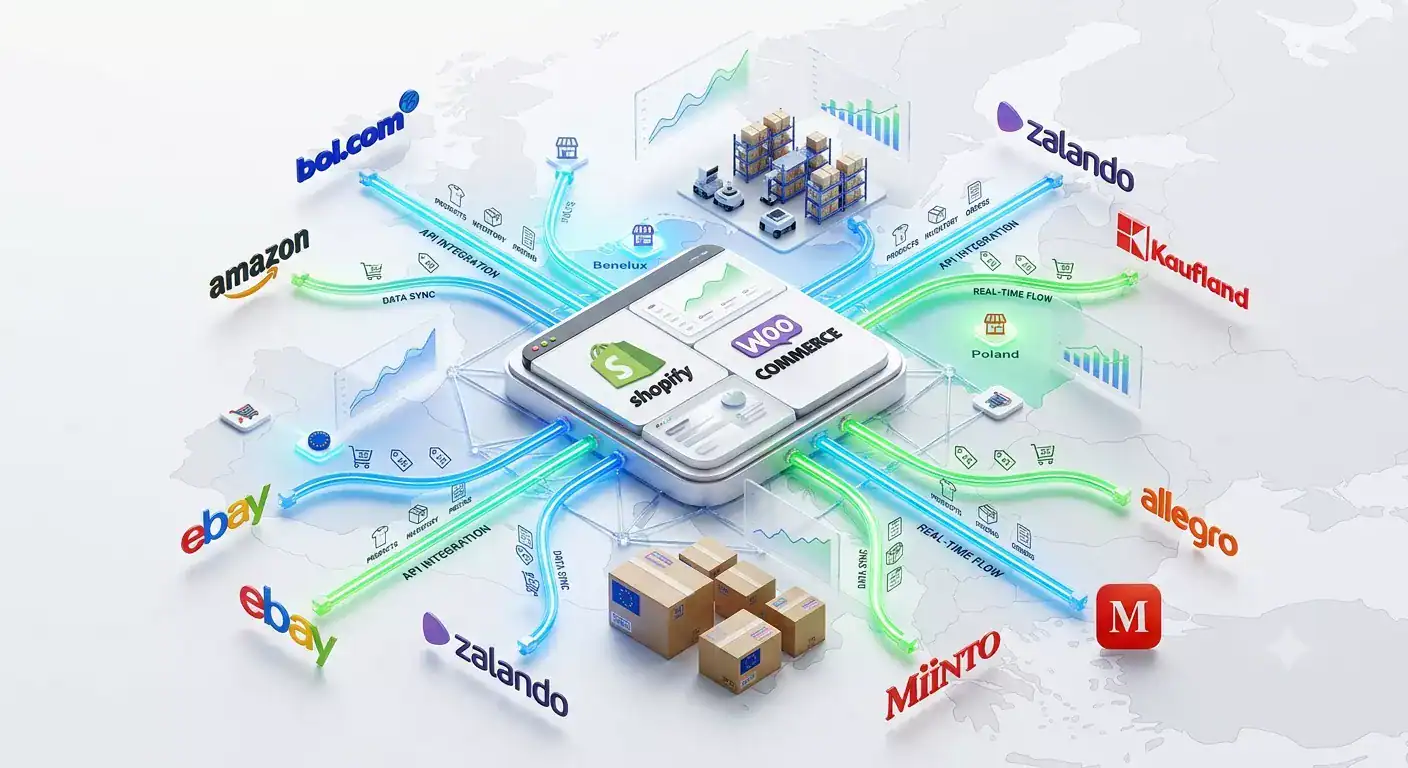
In 2024, more than 60% of all online product searches in Europe started on a marketplace rather than a search engine. Amazon, bol.com, Zalando, and their peers have become the default product discovery layer for hundreds of millions of shoppers and for merchants, this creates both an opportunity and a strategic challenge.
The opportunity: instant access to an audience that would take years and significant ad spend to build on your own webshop. The challenge: each marketplace operates differently, charges differently, and requires your product data in a different format. Running three or four channels manually adds hours of work every week and introduces errors that cost you visibility, sales, and occasionally your seller account.
This guide covers everything you need to know about marketplace selling in 2026 from what a marketplace is and which ones matter for European merchants, through to how multichannel operations work at scale and what mistakes to avoid in your first 90 days.
Obsah
- What is an online marketplace?
- Why do businesses sell on online marketplaces?
- Marketplace vs your own ecommerce store: what is the real difference?
- Should you sell only on marketplaces or use both?
- What are the biggest benefits of marketplace selling?
- What are the biggest risks of selling on marketplaces?
- Which marketplace is right for your business?
- How much does it cost to sell on marketplaces?
- How does multichannel selling work?
- Why does inventory synchronization matter so much?
- How do you manage products across multiple marketplaces?
- How do marketplace integrations work?
- How to start selling on marketplaces step by step
- Common mistakes new marketplace sellers make
- Frequently Asked Questions
- What is the easiest marketplace to start selling on?
- How much revenue do top marketplace sellers generate?
- Do I need a separate VAT registration for each European country?
- Can I sell on multiple marketplaces with one account?
- What is the difference between API integration and product feed for marketplaces?
- How many products do I need to start selling on a marketplace?
- What happens if I oversell on a marketplace?
- How do I choose which products to list on which marketplace?
- How long does it take to go live on a marketplace?
- Is selling on marketplaces profitable?
- What is the Buy Box and why does it matter?
- Do I need professional product photography for marketplace listings?
- How do I handle returns across multiple marketplaces?
- What is order synchronization and why do I need it?
- Can I use Koongo to connect my store to all of these marketplaces?
- Where to start
What is an online marketplace?
An online marketplace is a platform where multiple independent sellers list and sell products to the platform’s existing customer base. The marketplace handles customer acquisition, payment processing, and often logistics sellers pay a commission on each sale.
This is the fundamental difference between a marketplace and your own webshop. On your own store, you own the customer relationship and traffic, but you also pay for every visitor. On a marketplace, you plug into an existing audience immediately but you share margin with the platform and operate under its rules.
| Marketplace | Your own webshop | |
| Customer acquisition | Handled by the platform | Your responsibility |
| Day-1 traffic | Immediate access to millions | Zero must be built |
| Cost per sale | Commission (6-25%) | Marketing cost (variable) |
| Customer data | Marketplace owns it | You own it |
| Brand experience | Limited to marketplace template | Fully customisable |
| Return handling | Often managed by marketplace | Your process |
Why do businesses sell on online marketplaces?
Businesses sell on marketplaces primarily for immediate access to large, purchase-ready audiences. Amazon has over 300 million active customer accounts. bol.com reaches more than 12 million customers in the Netherlands and Belgium. Building equivalent organic traffic independently takes years a marketplace listing can generate sales on day one.
Beyond traffic, marketplaces offer built-in trust infrastructure. Customers already have payment details saved, return policies they understand, and a platform they trust. A new brand on its own webshop must earn that trust from scratch. On a marketplace, it comes with the listing.
| Top reasons merchants add marketplaces to their channel mix Immediate access to an established, purchase-ready customer base without ad spend. Built-in trust customers already have payment methods saved and return policies they understand. Product discovery shoppers searching for a product category find your listing alongside competitors rather than requiring them to find your brand first. International expansion without a local marketing team Amazon.de or Zalando reach German customers from a single integration. Cash flow benefits high-traffic periods (Q4, back-to-school, sales events) generate significant volume with no incremental ad cost |
Marketplace vs your own ecommerce store: what is the real difference?

A marketplace gives you traffic but limits your control over pricing, presentation, and the customer relationship. Your own store gives you full ownership of the customer experience and data but requires you to generate all traffic yourself. Most successful online merchants use both.
The economic comparison is more nuanced than it first appears. A marketplace commission of 15% feels expensive until you calculate what it costs to acquire a customer through paid advertising on your own store. In many product categories, the effective cost-per-acquisition on a marketplace is lower than running Google Shopping campaigns.
| Factor | Marketplace | Own webshop |
| Traffic cost | Commission on sales only | Ongoing ad spend (Google, Meta, SEO) |
| Customer loyalty | Difficult customer belongs to platform | Buildable through CRM and email |
| Pricing control | Limited (price matching rules) | Full control |
| Time to first sale | Days | Weeks to months |
| Brand visibility | Low listed alongside competitors | High full brand environment |
| Data ownership | Limited | Full email, behaviour, demographics |
| Margin per sale | Lower (commission deducted) | Higher (marketing cost deducted) |
Should you sell only on marketplaces or use both?
Most merchants who scale successfully run both a marketplace presence and their own webshop. Marketplaces generate volume and reach new customers; your own store builds the brand relationship and loyalty that drives repeat purchases at better margins.
Selling exclusively on marketplaces creates a structural risk: if a marketplace changes its algorithm, introduces a competing private-label product, or suspends your account, your entire revenue can disappear overnight. Your own store is a hedge against that dependency.
Conversely, selling exclusively through your own store limits your reach to customers who can find you which, in the early stages, is a small number. Marketplaces accelerate discovery in a way that no amount of SEO budget replicates in the short term.
| The combined approach: how it works in practice. Use marketplaces for product discovery and volume particularly in new markets or for category searchesUse your own store for brand building, loyalty programmes, email acquisition, and higher-margin repeat purchasesTreat marketplaces as a customer acquisition channel, not just a sales channel some customers who discover you on Amazon will search for your brand directly next timeKeep pricing consistent across channels to avoid cannibalisation and policy violations |
What are the biggest benefits of marketplace selling?
The three biggest benefits of marketplace selling are immediate access to a large buyer base, built-in logistics infrastructure (in the case of platforms like Amazon FBA), and the ability to enter new geographic markets without a local marketing presence.
For merchants entering a new category or geographic market, the speed advantage alone is compelling. Launching a product on Amazon.de reaches German consumers from day one, without hiring a German marketing team or running German-language ad campaigns. The marketplace’s existing search and recommendation algorithms handle discovery.
- Volume at scale: top-performing marketplace categories process thousands of orders per day per seller during peak periods
- Logistics infrastructure: Amazon FBA and similar programmes eliminate the need to manage warehouse space yourself
- Cross-border reach: one account on Amazon.eu covers multiple European countries without separate localisation projects
- Trust transfer: marketplace buyers are more likely to try an unknown brand than a visitor to a cold webshop
- Reduced return friction: customers know the return process, reducing purchase hesitation in high-consideration categories
What are the biggest risks of selling on marketplaces?

The biggest risks are margin compression from commission fees and competition, loss of customer data and relationship control, dependency on platform rules that can change without notice, and account suspension risk when compliance requirements are not met.
Commission fees compound with other marketplace costs. On Amazon, a seller in the clothing category pays a 15% referral fee, plus FBA fulfillment fees per unit, plus optional advertising costs to maintain visibility. The effective margin per sale can be 35-40% below the gross selling price before operational costs.
| Risk | How it happens | How to manage it |
| Account suspension | Compliance failures: missing GTINs, return rate, policy breach | Monitor your metrics dashboard daily; automate feed validation |
| Margin erosion | Commission + FBA + ads stack up silently | Model total cost per SKU before listing; review quarterly |
| Price wars | Competitors undercut; Buy Box goes to the lowest price | Set floor prices; compete on service metrics, not just price |
| Inventory overselling | Same unit sold on two channels simultaneously | Sync inventory every 5-15 minutes across all channels |
| Algorithm dependency | Ranking drops after a platform update | Maintain your own store as a parallel revenue channel |
| Counterfeit/competition | Marketplace adds a competing private-label product in your category | Diversify across 2-3 platforms; protect brand registry |
Which marketplace is right for your business?
The right marketplace depends on your product category, target geography, and operational capacity. Amazon leads globally and in Germany; bol.com dominates the Netherlands and Belgium; Zalando is the primary European fashion and lifestyle platform; Kaufland, Allegro, and Miinto serve specific regional and category strengths.
There is no single best marketplace. The practical question is which platforms your target customers use for your specific product category and whether the margin after fees leaves a sustainable business model.
Amazon
Amazon is the world’s largest online marketplace by revenue, with over 300 million active customer accounts globally. In Germany, it is the dominant e-commerce platform with more than 35% market share. For European merchants, Amazon.eu provides a single seller account covering amazon.de, amazon.fr, amazon.es, amazon.it, amazon.nl, amazon.pl, amazon.se, and amazon.co.uk.
| Detail | Best suited for | |
| Active customers | 300M+ globally; 35M+ in Germany | Electronics, books, home, fashion, toys |
| Commission | 7-15% referral fee by category | Merchants with margin above 30% gross |
| Key requirement | GTIN/EAN per SKU, brand registry recommended | Brands with EAN codes and consistent imagery |
| Integration type | API (Marketplace Manager) | Merchants needing order + inventory sync |
bol.com
Bol.com is the leading marketplace in the Netherlands and Belgium, with over 12 million active customers and more than 14 million products in its catalog. For Dutch and Belgian merchants, it is often the most direct path to domestic marketplace volume. bol.com’s Buy Box system means pricing, availability, and fulfillment speed are the key competitive levers.
| Detail | Best suited for | |
| Active customers | 12M+ in NL and BE | Home, electronics, books, garden, toys, fashion |
| Commission | 5-17% by category | Dutch/Belgian merchants seeking domestic volume |
| Key requirement | EAN per SKU, Dutch product descriptions | Merchants with local fulfilment capability |
| Integration type | API (Marketplace Manager) | Full product/order/inventory sync required |
Zalando
Zalando is Europe’s leading fashion and lifestyle marketplace, with 50+ million active customers across 25 countries. Entry requires a formal brand application and approval it is not open to general retailers. Once approved, merchants access a single partner account covering all 25 markets.
| Detail | Best suited for | |
| Active customers | 50M+ across 25 European countries | Fashion, footwear, beauty, home, sports |
| Commission | 15-25% by category (negotiated) | Established fashion/lifestyle brands |
| Key requirement | Brand approval, editorial-quality content, size guides | Brands with professional product photography |
| Integration type | API (Marketplace Manager) | Brands needing full product and order sync |
Kaufland
Kaufland Marketplace operates in Germany, Austria, Czech Republic, Slovakia, Poland, and Romania, with 35+ million monthly visitors across all six markets. It is more accessible than Amazon or Zalando in terms of entry requirements, and competition in many categories remains lower than on Amazon.de. Check our blog on how to sell on Zalando and Kaufland
| Detail | Best suited for | |
| Monthly visitors | 35M+ across 6 markets | Home, electronics, fashion, garden, toys |
| Commission | 6-16% by category + approx. EUR 39.95/month seller fee | Merchants targeting Central/Eastern Europe |
| Key requirement | EAN per SKU, localized descriptions | Merchants with CE European warehouse or shipping capability |
| Integration type | API (Marketplace Manager) | Multi-country sellers needing one integration |
eBay
eBay operates in 190 countries and remains a significant platform for electronics, collectibles, automotive parts, fashion, and refurbished goods. In the UK and Germany it is a top-5 e-commerce platform. eBay’s auction format has been supplemented by fixed-price listings, making it viable for standard retail merchants alongside specialist categories.
| Detail | Best suited for | |
| Active buyers | 130M+ globally | Electronics, collectibles, automotive, fashion |
| Commission | Final value fee 4-12.8% by category | Specialists in niche categories; refurbished goods |
| Key requirement | Product identifiers, clear condition disclosure | Merchants able to manage auction and fixed-price listings |
| Integration type | API (Marketplace Manager) | Sellers needing order + inventory sync |
Allegro
Allegro https://allegro.pl/is the leading marketplace in Poland, with over 21 million registered buyers and a market share exceeding 35% of Polish e-commerce. For merchants targeting Central and Eastern European consumers, it is a more direct route to Polish buyers than Amazon.pl, which remains a smaller player in the Polish market.
| Detail | Best suited for | |
| Registered buyers | 21M+ in Poland | Electronics, fashion, home, sports, beauty |
| Commission | Varies by category; listing fee + commission | Merchants targeting Polish consumers specifically |
| Key requirement | Polish language descriptions, local pricing | Merchants with or willing to set up Polish shipping |
| Integration type | API (Marketplace Manager) | High-volume sellers needing automated order flow |
Miinto
Miinto is a fashion marketplace operating across 12 European countries, with particular strength in Scandinavia, the Netherlands, Belgium, and Denmark. It focuses on fashion from independent boutiques and established brands, making it one of the more effective channels for fashion merchants who want European reach without Zalando’s strict content requirements.
| Detail | Best suited for | |
| Countries | 12 European markets | Fashion, footwear, accessories |
| Commission | Commission-based; negotiated per partner | Fashion brands seeking Scandinavian and Benelux reach |
| Key requirement | Product images, size data, localized descriptions | Brands with existing fashion photography assets |
| Integration type | API (Marketplace Manager) | Koongo is a premium Miinto integration partner |
How much does it cost to sell on marketplaces?
Marketplace costs consist of a commission on each sale (ranging from 5% to 25% depending on platform and category), optional monthly seller fees, and fulfillment costs if you use the platform’s logistics. The total effective cost per sale typically ranges from 12% to 35% of the selling price when all fees are included.
The most common mistake new marketplace sellers make is calculating only the headline commission rate. The realistic cost model includes every fee layer, and this determines whether your product margin is viable on a given platform.
| Marketplace | Commission | Monthly fee | FBA/fulfilment | Best margin category |
| Amazon.de | 7-15% | EUR 39.99 | EUR 2-5+ per unit | Electronics, home |
| bol.com | 5-17% | None | LVB optional | Home, books, toys |
| Zalando | 15-25% | None | Self-fulfil | Fashion, footwear |
| Kaufland | 6-16% | ~EUR 39.95 | Self-fulfil | Home, garden, electronics |
| eBay | 4-12.8% | None (free plan) | Self-fulfil | Electronics, collectibles |
| Allegro | Varies | Listing fee | Self-fulfil | Electronics, fashion |
A practical rule: if your gross product margin is below 35%, you need to model each marketplace carefully before listing. Categories with high return rates (fashion, footwear) add a further 5-15% effective cost depending on the platform’s return window.
How does multichannel selling work?

Multichannel selling means distributing your product catalog to multiple sales channels simultaneously your own webshop, one or more marketplaces, and advertising channels like Google Shopping while keeping product data, inventory, and orders synchronized across all of them from a single system.
The operational challenge of multichannel selling is not listing products on multiple platforms. That part is straightforward. The challenge is keeping everything synchronized after the first sale: when a customer buys the last unit on bol.com, the same listing on Kaufland needs to show zero stock within minutes, not hours.
| What multichannel selling involves operationally Product data management: formatting your catalog for each channel’s specific attribute requirements. Inventory synchronization: updating stock levels across every channel within minutes of each sale Order management: pulling orders from every marketplace into one place for fulfillment Shipping confirmation: notifying each marketplace with tracking details once an order ships Price management: applying channel-specific pricing rules without manual updates Feed distribution: sending optimised product data to advertising channels (Google Shopping, Meta Ads) in the right format |
Why does inventory synchronization matter so much?
Inventory synchronization prevents the single most costly error in multichannel selling: selling a product on two channels simultaneously when only one unit remains in stock. This results in an unfulfillable order, a customer complaint, and on platforms like Amazon a direct hit to your account health metrics.
The risk is not hypothetical. A merchant selling 50 orders per day across three channels without automated inventory sync will statistically encounter an oversell event within days. At 100+ orders per day, it happens multiple times per week.
| Real scenario: what an oversell event costs A merchant has 3 units of a product in stock, listed on their WooCommerce store, Amazon.de, and bol.com. At 11am, a customer buys one unit on WooCommerce. The merchant’s inventory sync runs every 30 minutes. In the next 45 minutes, separate customers order the same product on Amazon and bol.com. Both orders are confirmed. The merchant now has 2 confirmed orders and 2 units available but one of those units was already committed to the WooCommerce order. Result: one cancellation, one account defect rate hit on Amazon (threshold: under 1%), potential listing suppression, and a dissatisfied customer. With 5 or 15-minute sync intervals, this scenario is eliminated the marketplace listing goes to 0 before the next order can be placed. |
Koongo syncs inventory between your store and every connected marketplace every 5 or 15 minutes, depending on your plan eliminating the gap that makes overselling possible. For a deeper look at why overselling happens and how to prevent it, see our guide on inventory synchronization for multichannel sellers.
How do you manage products across multiple marketplaces?
Managing products across multiple marketplaces requires a central product data source typically your e-commerce store from which product information is formatted and distributed to each channel automatically. Each marketplace has different attribute requirements, and a feed or API integration handles the translation between your data and the channel’s format.
At small scale (under 100 SKUs, 1-2 channels), manual CSV uploads are manageable. At 500+ SKUs across 3+ channels, manual management introduces errors, takes 5-10 hours per week, and becomes the primary bottleneck to adding new channels.
| Approach | Works at this scale | Breaks at this scale |
| Manual CSV upload per channel | Under 200 SKUs, 1-2 channels | Any channel added; any price change |
| Spreadsheet + manual mapping | Under 500 SKUs, stable catalog | Frequent product updates; seasonal pricing |
| Feed management tool | 500-10,000 SKUs, advertising channels | Marketplaces requiring order/inventory sync |
| Integrated platform (feed + marketplace) | 500+ SKUs, 2+ marketplaces | No practical upper limit in this tier |
For merchants at the 500+ SKU, multi-marketplace stage, a product feed management and marketplace integration platform handles the translation layer automatically. Your store remains the single source of truth; the platform ensures each channel receives the correctly formatted data, and inventory updates propagate within minutes of each sale. For a full breakdown of how feed management works, see our product feed management guide.
How do marketplace integrations work?
A marketplace integration creates an automated connection between your e-commerce store and a marketplace, syncing product listings, inventory levels, and orders in real time. For marketplaces like Amazon, bol.com, and Zalando, this connection is API-based the integration communicates directly with the marketplace’s systems rather than relying on a manually uploaded file.
This is a critical distinction. Advertising channels like Google Shopping and Meta Ads use product feeds structured files delivered at regular intervals. Marketplaces use two-way API connections that also handle order flow and inventory deduction. These are different technical integrations and require different tools.
| Integration type | Used for | What it handles |
| Feed-based | Google Shopping, Meta Ads, Beslist, Idealo, comparison sites | Product data distribution; one-way; updates on schedule |
| API-based (marketplace) | Amazon, bol.com, Zalando, Kaufland, eBay, Allegro, Miinto | Product listings + order import + inventory sync + shipping confirmation |
Setting up an API marketplace integration manually requires API credentials, technical knowledge of each platform’s data schema, and ongoing maintenance as APIs evolve. Most merchants use an integration platform like Koongo’s Marketplace Manager – that handles this through a guided wizard, mapping your store’s product attributes to each marketplace’s required fields without coding. For a full explanation of how marketplace integrations work, see our marketplace integration guide.
How to start selling on marketplaces step by step
Starting on a marketplace takes between one day and several weeks depending on the platform Kaufland and eBay approve sellers in 1-2 weeks; Zalando’s brand review can take 4-12 weeks. The practical steps are the same across most platforms: register, verify, prepare your product data, integrate your store, and go live.
- Choose your first marketplace based on where your customers already shop and which product categories perform best on that platform.
- Register a seller account and complete identity and business verification, you need a registered business entity and VAT number.
- Audit your product data: check that every SKU has a valid EAN/GTIN, clear titles, complete descriptions, and images that meet the marketplace’s technical requirements.
- Set up your integration: connect your Shopify, WooCommerce, or Magento store to the marketplace via API integration, using a wizard-based tool to map attributes and configure sync settings.
- Configure inventory sync frequency and buffer stock rules – set inventory buffers of 1-2 units for fast-moving items to prevent simultaneous overselling.
- Submit your first product batch and resolve any listing errors before scaling your catalog.
- Monitor your seller metrics for the first 30 days: order defect rate, late shipment rate, and return rate are the key performance indicators most marketplaces track.
| Before you list: data checklist Every SKU has a GS1-registered EAN or GTIN Product titles follow the marketplace format (brand + type + key attributes) Main images meet minimum resolution requirements (1000 x 1000 px minimum for most platforms) Product descriptions are in the language of the target market VAT registration is in place for every country where you will store goods or exceed distance-selling thresholds. Pricing has been modelled including all marketplace fees to verify positive margin |
Common mistakes new marketplace sellers make
The most common mistakes are listing without valid GTINs, underestimating the impact of commission and fulfillment fees on margin, failing to set up inventory sync before going live, and treating every marketplace identically when each has different data requirements and performance expectations.
| Mistake | Why it happens | Consequence |
| Listing without valid GTINs | Using internal SKU codes instead of GS1 EANs | Listing rejection; suppressed listings |
| Ignoring fee stacking | Calculating only headline commission rate | Margin turns negative after FBA + ads + returns |
| No inventory sync setup | Assuming manual updates are fast enough | Overselling events within days of going live |
| Identical data on every channel | Copy-pasting webshop content without reformatting | Low search visibility; listing errors; poor conversion |
| Not monitoring seller metrics | Focusing on orders, not account health KPIs | Account warning or suspension after threshold breaches |
| Listing entire catalog on day one | Wanting to maximize coverage immediately | Too many errors to resolve; support team overwhelmed |
| Underestimating return rates | Assuming returns will be similar to own webshop | Cash flow problems in high-return categories like fashion |
Frequently Asked Questions
eBay and Kaufland have the lowest entry barriers for established European businesses. Applications are reviewed within 1-2 weeks, there is no brand review or curated category approval, and data requirements are less strict than Amazon or Zalando. bol.com is also relatively accessible for Dutch and Belgian merchants with a registered business and EAN codes.
Marketplace revenue varies enormously by category and scale. Small merchants (under 500 SKUs, 1-2 channels) typically generate EUR 5,000-50,000 per month through marketplaces. Mid-size merchants (1,000-5,000 SKUs, 3-5 channels) commonly reach EUR 50,000-500,000 per month. The key variable is margin quality, not revenue alone.
Not necessarily. The EU One-Stop-Shop (OSS) scheme allows you to file a single VAT return in your home country covering all EU B2C sales above EUR 10,000 annually. You only need individual country registrations if you store goods in that country for example, by using Amazon FBA in Germany or France.
Each marketplace requires its own seller account, but integration platforms allow you to manage all of them from a single dashboard. Amazon’s European account covers 8 EU marketplaces from one registration. Kaufland covers 6 countries from a single account. bol.com covers the Netherlands and Belgium from one seller portal.
Advertising and comparison channels (Google Shopping, Meta Ads, Idealo, Beslist) use product feeds, structured files delivered on a schedule, one direction only. Marketplaces (Amazon, bol.com, Zalando, Kaufland) use API-based connections that sync in both directions: sending product data to the marketplace and pulling orders and inventory updates back to your store. Using a feed-based approach for a marketplace misses the order and inventory sync layer.
There is no minimum. Merchants launch successfully on Amazon or bol.com with as few as 10-20 SKUs. The practical advice is to start with your strongest 50-100 products those with the best margin, valid GTINs, and quality imagery before expanding the catalog. Starting with your full catalog often creates a backlog of listing errors that slows the entire launch.
On most platforms, you must cancel the order and notify the customer. This triggers a defect on your seller account. Amazon’s Order Defect Rate threshold is 1% if more than 1 in 100 orders results in a cancellation, return, or negative feedback, your account faces restriction. On bol.com, repeated cancellations affect your seller score, which directly affects your Buy Box eligibility.
Match product categories to marketplace strengths: fashion and footwear to Zalando and Miinto; general home and electronics to Amazon, bol.com, and Kaufland; specialist or second-hand items to eBay. Model the margin per SKU per platform before listing a product that generates 20% margin on your own store may break even after marketplace fees in a high-commission category.
eBay: 1-5 days. Kaufland: 2-4 weeks. bol.com: 1-3 weeks for account approval; listings go live within hours of submission if data is correct. Amazon: 1-3 days for standard applications, longer for video verification or restricted categories. Zalando: 4-12 weeks for brand review, plus 1-2 weeks for content review of initial listings.
Yes, for the right product categories and with the right cost model. The key factors are gross product margin (should be above 35% for most marketplace categories), category commission rate, return rate for your product type, and whether you are using the marketplace’s fulfillment service. Marketplaces are less profitable per unit than selling through your own store but deliver significantly higher volume making the total contribution margin competitive.
The Buy Box (Amazon) or equivalent placement (bol.com) is the primary purchase button on a product listing page. On listings with multiple sellers offering the same product, only one seller wins the Buy Box at a time and that seller captures the majority of sales. Buy Box eligibility factors include price, fulfillment speed, order defect rate, and account health metrics. Winning the Buy Box regularly is one of the highest-leverage activities for marketplace sellers.
Yes, for most marketplaces. Amazon requires a white background main image at minimum 1000 x 1000 px; Zalando requires at least 3 images at specific dimensions with model or packshot presentation; bol.com strongly recommends white background imagery. Listings with poor image quality consistently underperform in search ranking and conversion rate, regardless of how competitive the price is.
Each marketplace has its own return window and process. Zalando offers customers 100 days to return items. Amazon’s return window is typically 30 days. bol.com follows EU statutory rules (14 days minimum). You need a warehouse or returns process that can handle returns from multiple platforms, ideally with each marketplace’s return label routing to a single location for inspection and restocking.
Order synchronization automatically imports new marketplace orders into your store’s order management system Shopify, WooCommerce, or Magento so you process all orders from one place rather than logging into multiple marketplace dashboards. Without order sync, order processing is manual and error-prone at volumes above 20-30 orders per day. With sync, marketplace orders appear in your existing workflow automatically, and shipping confirmation is sent back to the marketplace once you fulfill.
Yes. Koongo connects Shopify, WooCommerce, Magento, and other major e-commerce platforms to 500+ channels including API-based connections to Amazon, bol.com, Zalando, Kaufland, eBay, Allegro, and Miinto through the Marketplace Manager, and feed-based connections to Google Shopping, Meta Ads, and comparison channels through the Feed Manager. Both are included in every paid plan, starting from EUR 12/month with a 7-day free trial and no credit card required.
Where to start
Marketplace selling in 2026 is not a question of whether to participate it is a question of which platforms to prioritise and how to manage them operationally without the data work consuming more time than the revenue justifies.
The practical starting point for most merchants is one or two marketplaces where your product category has clear demand, your margin model works after fees, and you can get product data to the required standard. Start with 50-100 of your strongest SKUs, set up proper inventory sync from day one, and expand from there once you understand each platform’s performance metrics.
The merchants who struggle on marketplaces are almost always those who either started without a margin model, launched without inventory sync, or treated every channel identically when each requires a different approach. Avoid those three mistakes and the fundamentals work.
| Start selling on marketplaces from your existing store Koongo connects your Shopify, WooCommerce, or Magento store to 500+ channels – including Amazon, bol.com, Zalando, Kaufland, eBay, and Miinto – with full product, order, and inventory sync through the Marketplace Manager Wizard. Permanent Free Plan available. Paid plans from EUR 12/month. 7-day free trial, no credit card required. |