

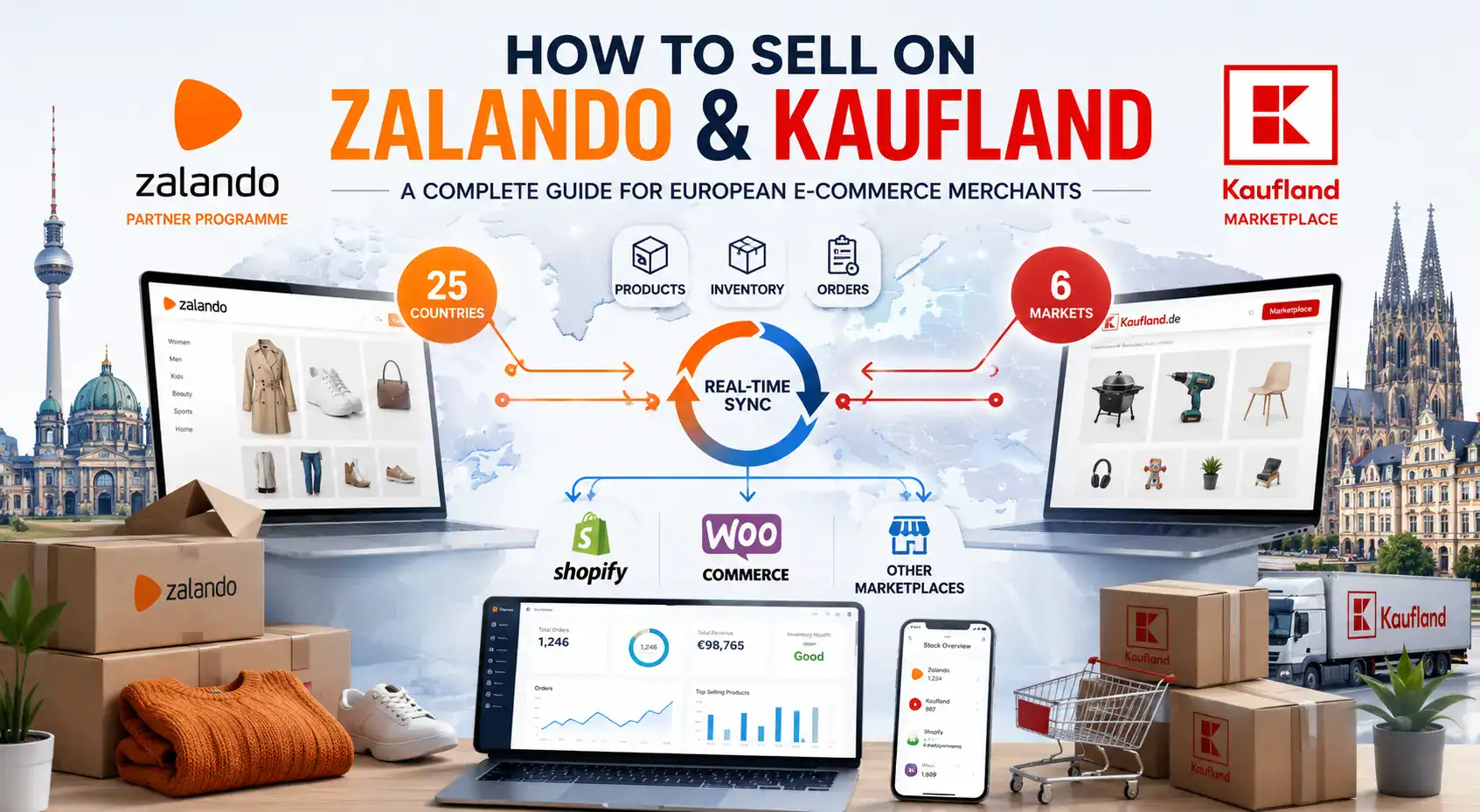
| TL;DR Zalando has 50+ million active customers across 25 European markets – but access requires an application, brand approval, and strict content standards. Kaufland Marketplace covers Germany, Austria, Czech Republic, Slovakia, Poland, and Romania, with 35+ million monthly visitors and relatively low competition in many categories.Both platforms use API-based connections, not product feeds – setup is done through an integration wizard, not a CSV upload.Zalando’s data quality requirements are among the strictest of any European marketplace: images, product descriptions, and size guides must meet publisher-level standards. Running Zalando and Kaufland alongside your own store requires automated inventory and order sync – manual management becomes unsustainable above 50 orders per day. |
Two of Europe’s fastest-growing marketplaces sit at opposite ends of the onboarding spectrum. Zalando is a premium fashion and lifestyle platform with 50+ million active customers across 25 countries – but getting access requires a formal application, brand review, and a commitment to content standards that most marketplaces do not demand. Kaufland Marketplace, by contrast, is an open-application general marketplace covering six Central European markets with over 35 million monthly visitors and a product mix ranging from electronics to garden furniture.
For European merchants, both represent significant revenue opportunities that most competitors have not yet fully exploited. This guide walks through what each platform requires, where the differences lie, and how to build a workflow that lets you manage both channels alongside your existing store without doubling your operational workload.
Obsah
- What is Zalando Marketplace and who can sell there?
- What is Zalando’s Partner Programme and how do you apply?
- Which product categories and price points perform best on Zalando?
- What product data does Zalando require – and why are its standards so strict?
- How does Zalando’s commission model work – and what does it actually cost?
- How does Zalando handle returns – and what do merchants need to prepare for?
- What is Kaufland Marketplace and why should European merchants pay attention to it?
- What are the requirements to become a Kaufland Marketplace seller?
- What product data does Kaufland require for listings to go live?
- How does Kaufland’s pricing model work for marketplace sellers?
- Zalando vs Kaufland: how do the two platforms compare for European sellers?
- How do you connect your Shopify or WooCommerce store to Zalando and Kaufland?
- How do you manage inventory across your own store, Zalando, and Kaufland without overselling?
- How does Kaufland handle seller performance and what metrics matter?
- Frequently Asked Questions
PART 1: ZALANDO
What is Zalando Marketplace and who can sell there?
Zalando is Europe’s leading online fashion and lifestyle platform, founded in Berlin in 2008. By 2024, it had reached 50 million active customers across 25 European markets and reported annual gross merchandise volume (GMV) exceeding EUR 14 billion. Its Partner Programme – the marketplace arm that allows third-party merchants to sell directly to Zalando customers – launched in 2013 and now accounts for a significant share of its total product offering.
Not every merchant can sell on Zalando. The platform applies a curated entry model: you apply, Zalando reviews your brand, products, and content capabilities, and then either approves or declines your application. Approval rates vary by category and brand profile. Established brands with consistent imagery, existing EU distribution, and products in fashion, footwear, accessories, beauty, home, or sports categories have the strongest approval prospects.
| Who is most likely to be approved for Zalando Partner Programme? Fashion, footwear, accessories, sports, beauty, or home lifestyle brands. Brands with an established online presence and consistent product photography. Merchants with EAN/GTIN codes for all SKUs. Businesses registered in the EU, UK, Switzerland, or other markets Zalando operates in. Brands willing to meet Zalando’s editorial content and size guide standards |
General retailers selling third-party branded products typically do not qualify, as Zalando prioritises brand owners who can control product presentation. If your application is declined, Zalando usually provides feedback, and many merchants reapply successfully after addressing content or product range gaps.

What is Zalando’s Partner Programme and how do you apply?
Zalando operates its marketplace through the Zalando Partner Programme – a separate layer from Zalando Wholesale. As a Partner, you list and sell products directly to Zalando customers while Zalando handles the storefront, payment processing, and customer service. You retain control over pricing, inventory, and brand presentation.
The application process is not open registration. Zalando reviews each brand before granting access. The typical steps are:
- Brand application: Submit your brand via the Zalando Partner portal. Zalando evaluates brand fit, product quality, and category alignment. Fashion, footwear, sportswear, beauty, and home lifestyle are the primary accepted verticals.
- Commercial agreement: Once approved, you sign a Partner agreement covering commission rates, return handling terms, content standards, and shipping obligations.
- Content onboarding: Upload your catalogue through Zalando’s zDirect portal or via an approved feed integration partner. All products must meet Zalando’s attribute, image, and sizing standards before going live.
- Go-live: Products are reviewed by Zalando’s content team. Items that pass validation appear on the platform. Items with missing data or non-compliant images are suppressed until corrected.
Onboarding timelines vary. A brand with a clean product feed and complete EAN coverage typically goes live within 4-8 weeks of approval. Brands with incomplete data or non-standard image formats often spend additional weeks in the content correction loop.
🔗 See how Koongo connects your store to Zalando
Which product categories and price points perform best on Zalando?
Zalando’s core strength is fashion and footwear, but the platform has expanded significantly into adjacent lifestyle categories. Understanding where its customer base shops – and at what price points – helps you decide which products to prioritise in your initial assortment.
| Category | Typical price range | Notes |
| Women’s clothing | EUR 25 – EUR 200+ | Highest volume category; strong seasonal spikes |
| Men’s clothing | EUR 30 – EUR 180 | Growing segment; casualwear and sportswear lead |
| Footwear | EUR 40 – EUR 300+ | Core Zalando category; size data is mandatory |
| Sports & outdoor | EUR 25 – EUR 250 | Fast-growing; technical spec data required |
| Beauty & personal care | EUR 15 – EUR 120 | Strong repeat purchase behaviour |
| Home & living | EUR 20 – EUR 500+ | Expanding category; lower competition than fashion |
| Kids’ clothing | EUR 15 – EUR 80 | Size and safety compliance critical |
Zalando’s customer base skews towards 18-45 year-olds with above-average purchasing power. Price sensitivity is moderate – customers are willing to pay for quality and brand, but they also compare prices across Zalando’s assortment. Products positioned in the EUR 30-150 range across most categories see the strongest volume.

What product data does Zalando require – and why are its standards so strict?
Zalando’s content requirements are among the most demanding of any European marketplace. This is deliberate: as a curated platform competing on customer experience, Zalando enforces editorial-quality product data to maintain a consistent browsing experience across its catalogue of millions of items.
Listings that do not meet these standards are rejected before going live. There is no grace period or partial publishing – your product data must be complete and correct at the point of submission.
Mandatory attributes for all Zalando listings
| Attribute | Zalando requirement | Common rejection reason |
| EAN / GTIN | One valid EAN per SKU (size/colour variant) | Using a single EAN for multiple variants |
| Product images | Minimum 3 images; white or light grey background; min 800 x 1100 px; model or packshot | Lifestyle-only images; coloured backgrounds; watermarks |
| Size guide | Zalando-format size table per product (chest, waist, hip measurements) | Missing size guide; generic sizing labels only |
| Product name | Brand + product name + colour; max 70 characters | Keyword stuffing; missing colour; promotional text |
| Description | 150-500 characters; material, fit, style, care instructions | Generic copy; promotional language; HTML tags |
| Material composition | Percentage breakdown of all materials | Approximate or missing material data |
| Care instructions | Standardised care symbols or text | Missing or inconsistent with label |
| Category mapping | Zalando’s taxonomy (via their attribute guide) | Incorrect category resulting in wrong filter appearance |
| Colour | Zalando colour code from their colour catalogue | Free-text colour names not matching Zalando’s catalogue |
For footwear, additional attributes include last width, heel height, and closure type. For sportswear, technical specifications such as waterproof rating or insulation fill weight are required. Zalando provides a detailed Attribute Guide per category in the Partner Programme portal.
How does Zalando’s commission model work – and what does it actually cost?
Zalando charges a commission on each sale rather than a monthly listing fee. Commission rates vary by category and are agreed at the time of partner onboarding. Published benchmarks put standard rates in the range of 15% to 25% of the selling price, depending on product category and brand tier.
| Zalando commission – typical ranges by category. Women’s and men’s clothing: approximately 18-22% of selling price. Footwear: approximately 20-25% of selling priceSports and outdoor: approximately 15-20% of selling price. Beauty and personal care: approximately 15-18% of selling priceHome and living: approximately 12-18% of selling price Note: exact rates are agreed individually and are not published publicly. Use these ranges for margin planning; verify your specific rate during onboarding. |
On top of commission, Zalando offers optional marketing programmes – Sponsored Products and Zalando Marketing Services – where you pay for additional placement within search results and category pages. These are not mandatory but are widely used by partners to drive visibility in competitive categories.
There is no monthly platform fee for Zalando Partners. You pay only on transactions, which makes the cost structure relatively predictable for margin planning. The key risk is returns: Zalando’s return rates in fashion can reach 40-60% in some categories, which affects your effective revenue per order.
How does Zalando handle returns – and what do merchants need to prepare for?
Zalando’s free return policy is a core part of its customer proposition and one of the most significant operational factors for sellers on the platform. Customers have 100 days to return items in most markets, and the return label is included in every delivery. This drives customer loyalty and conversion – but it also means return rates in fashion can be substantially higher than what you experience on your own webshop or other marketplaces.
Understanding how returns flow back into your operation is essential before you start selling at volume on Zalando.
How Zalando returns work for Partner Programme sellers
- Customer initiates a return via the Zalando app or website within the return window (100 days in most markets).
- Zalando generates the return shipping label – the customer prints and ships to your designated returns address.
- You receive the returned item and inspect it within the timeframe specified in your partner agreement.
- If the return is accepted, you confirm it in the Zalando Partner portal and refund is issued to the customer by Zalando.
- If a return is damaged or not in resalable condition, you follow Zalando’s escalation process to dispute the refund.
The return address does not have to be in Germany – you can use your existing warehouse or a local returns hub in any country. However, return shipping costs from across Europe can be a significant expense for smaller merchants, and these are not reimbursed by Zalando.
Plan your pricing to absorb an effective return rate of 25-45% in fashion categories before you go live. Products with complex sizing or inconsistent size guides see the highest return rates – which is one reason Zalando enforces its size guide requirements so strictly.
PART 2: KAUFLAND MARKETPLACE

What is Kaufland Marketplace and why should European merchants pay attention to it?
Kaufland Marketplace (kaufland.de and its country-specific equivalents) is the online marketplace operated by Kaufland, a major German retail chain with over 1,500 physical stores across Central and Eastern Europe. The marketplace launched in 2020 and has grown rapidly, reaching over 35 million monthly visitors by 2024 across its six active markets: Germany, Austria, Czech Republic, Slovakia, Poland, and Romania.
What makes Kaufland particularly interesting for European merchants is the combination of significant traffic, lower seller competition than Amazon, and a genuine multi-country footprint in markets that are often overlooked by both competitors and rival marketplace guides. Central and Eastern European e-commerce is growing at 12-18% annually – faster than Western European markets – and Kaufland’s physical brand recognition in these countries gives its marketplace credibility that purely online platforms lack.
| Market | Kaufland domain | Monthly visitors (est.) | Key categories |
| Germany | kaufland.de | 25+ million | Electronics, home, fashion |
| Czech Republic | kaufland.cz | 3+ million | Electronics, garden, toys |
| Slovakia | kaufland.sk | 1.5+ million | Home, electronics, sports |
| Poland | kaufland.pl | 2+ million | Fashion, home, electronics |
| Austria | kaufland.at | 1.5+ million | Home & garden, electronics |
| Romania | kaufland.ro | 1+ million | Electronics, fashion, home |
What are the requirements to become a Kaufland Marketplace seller?
Kaufland Marketplace is more accessible than Zalando – it does not require a brand review or category-specific approval for most product types. Any established EU-registered business can apply, and the platform accepts sellers from outside the EU as well, provided you can fulfil orders to customers in the relevant countries.
Kaufland seller account requirements
- Registered business entity (sole trader, GmbH, BV, Ltd, or equivalent EU/international structure)
- Valid VAT number for the countries where you will be selling
- Bank account for settlement (SEPA-compatible for European payouts)
- Ability to fulfil orders to customers in Germany and/or other Kaufland markets
- EAN/GTIN codes for all listed products (GS1-registered)
- Product liability insurance meeting German market requirements (recommended, and required for certain categories)
The application process is completed through the Kaufland Seller Portal. Approval typically takes 2-4 weeks, during which Kaufland verifies your business registration, tax details, and payment information. There is no curated product review – once your account is approved, you can list products in any eligible category immediately.
Restricted categories include pharmaceuticals, weapons, regulated financial products, and certain food items. Electronics, fashion, home goods, toys, sports equipment, garden products, and most general merchandise categories are open to all approved sellers.
What product data does Kaufland require for listings to go live?
Kaufland’s data requirements are less strict than Zalando’s but still structured. Incomplete listings result in suppressed or poorly-ranked products. Getting the mandatory attributes right from the start saves you the time of diagnosing low visibility after launch.
| Attribute | Kaufland requirement | Impact if missing |
| EAN / GTIN | Mandatory for all products; must match GS1 database | Listing rejected or not indexed |
| Product title | Clear, descriptive; brand + product type + key variant info | Lower search ranking; customer confusion |
| Category | Kaufland taxonomy (hierarchical, 3 levels minimum) | Appears in wrong category; reduced visibility |
| Images | Minimum 1 image; white or neutral background preferred; min 600 x 600 px | Suppressed listing in some categories |
| Description | Plain text; 100-2000 characters recommended | Reduced conversion rate |
| Brand | Brand name or ‘Generic’ for unbranded items | Lower trust signals for customers |
| Price (incl. VAT) | Gross price for German market; must comply per country | Listing suppression if price format is wrong |
| Stock quantity | Real-time quantity; 0 = automatically deactivated | Oversell risk if not synced correctly |
| Shipping time | Declared dispatch time in business days | Poor ranking in delivery-time filters |
Unlike Zalando, Kaufland does not require size guides, material composition data, or care instruction data for most categories (though these are recommended for fashion and textile products). This lower barrier makes Kaufland a practical starting point for merchants who want to test a marketplace before tackling Zalando’s more demanding content standards.
How does Kaufland’s pricing model work for marketplace sellers?
Kaufland charges a combination of a monthly base fee and per-sale commission. This makes the cost structure slightly different from Amazon (where the Individual plan has no monthly fee) but more transparent than Zalando (where commission rates are negotiated individually).
| Kaufland Marketplace fee structure (current benchmark) Monthly seller fee: approximately EUR 39.95/month (Germany); varies slightly by market. Category commission: 6% to 16% depending on product category. No per-listing fees: you pay only monthly fee + commission on sales. Payment settlement: bi-weekly, net of commissionsNo fulfilment fee if you ship yourself (Kaufland does not currently operate a marketplace-wide FBA equivalent). Verify current rates in the Kaufland Seller Portal – fees can change and vary by country. |
| Category | Commission rate (approx.) | Notes |
| Electronics | 6-8% | Lower margin category; volume-driven |
| Fashion and clothing | 12-15% | Comparable to Zalando’s lower tiers |
| Home and garden | 8-12% | Strong performer in DE and CZ markets |
| Toys and games | 10-13% | Seasonal spikes; good Q4 volumes |
| Sports and outdoor | 9-12% | Growing category across all markets |
| Books and media | 8-10% | Lower average order value |
PART 3: CHOOSING AND MANAGING BOTH CHANNELS
Zalando vs Kaufland: how do the two platforms compare for European sellers?
Zalando and Kaufland serve different merchant profiles and customer needs. Choosing between them – or deciding to run both – depends on your product category, content capabilities, and operational capacity. This comparison covers the key dimensions that matter for growing merchants.
| Dimension | Zalando | Kaufland |
| Entry model | Application + brand review required | Open application; most categories approved |
| Approval timeline | 4-12 weeks after application | 2-4 weeks |
| Markets covered | 25 European countries | 6 Central/Eastern European markets |
| Monthly active customers | 50+ million | 35+ million (across all 6 markets) |
| Product focus | Fashion, footwear, lifestyle, beauty, home | General merchandise – virtually all categories |
| Content requirements | Very strict – editorial quality mandatory | Moderate – structured but achievable |
| Commission structure | 15-25% (negotiated per brand) | 6-16% by category |
| Monthly seller fee | None | Approx. EUR 39.95/month |
| Return rate risk | High in fashion (25-60%) | Lower; category-dependent |
| Integration type | API connection (Marketplace Manager) | API connection (Marketplace Manager) |
| Best suited for | Fashion/lifestyle brands with strong content | General merchants wanting Central European reach |
How do you connect your Shopify or WooCommerce store to Zalando and Kaufland?
Both Zalando and Kaufland use API-based connections to sync product data, inventory, and orders between your store and the marketplace. This is fundamentally different from advertising or comparison channels (like Google Shopping or Idealo) that use product feeds – the API connection is two-way and real-time, handling not just product listings but also incoming orders and outgoing stock updates.
Setting up these connections manually requires API credentials, technical knowledge of each platform’s data format, and ongoing maintenance as APIs evolve. Most merchants use an integration platform to handle this through a guided wizard.
What the API connection handles automatically
- Product listing creation – mapping your store’s product data to each marketplace’s required attribute format
- Inventory sync – updating stock levels on Zalando and Kaufland whenever a sale occurs on any channel
- Order import – pulling new marketplace orders into your Shopify or WooCommerce dashboard automatically
- Shipping confirmation – notifying the marketplace when an order has been dispatched, with tracking details
- Price updates – keeping your marketplace prices aligned with your store pricing or applying channel-specific rules
- Product updates – propagating changes to titles, descriptions, images, or attributes from your store to the marketplace
Step-by-step: connecting your store via Marketplace Manager
- Connect your store platform (Shopify, WooCommerce, Magento) to Koongo and select the target marketplace (Zalando or Kaufland).
- Complete the Marketplace Manager Wizard, which guides you through API credential setup and account authorisation.
- Map your store’s product attributes to the marketplace’s required fields – the wizard shows you which fields are mandatory and flags any gaps.
- Set up attribute rules to transform data where needed (e.g., converting your internal colour values to Zalando’s colour catalogue).
- Configure inventory sync frequency – every 5, 15, or 30 minutes depending on your daily order volume.
- Submit your first batch of products for review. Zalando will review listings before making them live; Kaufland activates them within a few hours if data is correct.
- Once live, test the full cycle: place a test order, confirm it in your store, and verify that the marketplace order status updates correctly.

How do you manage inventory across your own store, Zalando, and Kaufland without overselling?
Running three or more sales channels simultaneously creates an inventory management challenge that grows non-linearly with order volume. At 20 orders per day total, the risk of simultaneous purchases depleting a last-in-stock unit is low. At 100 orders per day across four channels, it is a daily operational risk without proper sync.
| Real scenario: three-channel inventory risk A fashion merchant has 8 units of a jacket in stock and sells on their WooCommerce store, Kaufland.de, and Zalando.de. At 14:00 on a Wednesday, a customer orders the jacket on WooCommerce. The merchant’s inventory sync runs every 30 minutes. In the next 55 minutes, two more orders arrive – one on Kaufland, one on Zalando. By the time the sync runs, the stock has dropped to 5, but the marketplace listings have shown 8 units for nearly an hour. With a 5 or 15-minute sync interval and a buffer stock rule set at 1-2 units, this scenario is effectively eliminated. The buffer means that when real stock hits 2, the marketplace shows 0 – preventing the last unit from being sold simultaneously on two channels. |
Recommended inventory rules for three-channel selling
| Rule | Recommended setting | Why it matters |
| Sync frequency | Every 5-15 minutes | Reduces the window for simultaneous orders on depleted stock |
| Buffer stock | 1-2 units (or 5-10% of stock) | Prevents last-unit oversell during sync delay |
| Auto-deactivation threshold | 0 units (or buffer level) | Removes listing when stock hits zero automatically |
| Order import delay tolerance | Under 30 minutes from marketplace to store | Ensures fulfillment team sees orders before stock is reassigned |
| Price floor rule | Set minimum price per channel | Prevents accidental below-margin pricing on any channel |
How does Kaufland handle seller performance and what metrics matter?
Kaufland Marketplace monitors seller performance continuously and uses a scoring system to determine listing visibility, Buy Box eligibility, and account standing. Kaufland applies ongoing operational metrics to every active seller.
The four metrics Kaufland weights most heavily are:
- Order defect rate (ODR): The percentage of orders resulting in a negative outcome – wrong item, damaged goods, or missing parcel. Kaufland expects ODR below 1%.
- Late shipment rate: Orders dispatched after the committed handling time. Kaufland’s default expectation is 1 business day. Consistent day-2 or day-3 shipments receive score reductions.
- Cancellation rate: Seller-initiated cancellations due to stock unavailability. A rate above 2% signals inventory management problems and directly impacts search ranking.
- Response time: Kaufland expects customer messages answered within 24 hours. Slower response times factor into the seller rating visible to buyers.
The cancellation rate is the most demanding metric for multi-channel sellers. Without real-time sync, overselling leading to cancellations is one of the most common causes of marketplace account warnings. Inventory synchronization updating Kaufland within minutes of a sale is the only reliable way to stay within acceptable limits.
Koongo’s Kaufland integration pushes stock updates via API on every sale event from your Shopify or WooCommerce store – typically within 15 minutes depending on your plan.
🔗 Compare Koongo sync frequency across plans
Frequently Asked Questions
Can I sell on Zalando if I am not a fashion brand?
Zalando has expanded beyond fashion into beauty, home and living, and sports. However, general product retailers – particularly those selling third-party branded items – are unlikely to be approved. Zalando’s Partner Programme is oriented towards brand owners or exclusive distributors who can control product presentation and supply consistency.
Does Kaufland operate in the Netherlands or Belgium?
No. As of 2025, Kaufland Marketplace operates in Germany, Austria, Czech Republic, Slovakia, Poland, and Romania. The Netherlands and Belgium are not currently in its marketplace footprint. Dutch and Belgian merchants who want to sell on Kaufland do so to reach customers in those six markets – particularly Germany, which is the largest.
Do I need separate accounts for each Kaufland country?
No. A single Kaufland Seller Portal account covers all six Kaufland Marketplace countries. You can choose which markets to activate and manage listings, pricing, and orders for all countries from one dashboard. Language localisation of product content is required for each market where you want your listings to appear.
What return window does Kaufland offer customers?
Kaufland follows standard EU consumer protection rules: a 14-day statutory right of return for most products. This is significantly lower than Zalando’s 100-day window. Return rates on Kaufland are typically 5-15% in most categories, compared to 25-60% for fashion on Zalando.
Can I list the same products on both Zalando and Kaufland?
Yes, with caveats. Products eligible for both platforms can be listed on both simultaneously. Price parity is advisable – if the same product appears at significantly different prices on two connected channels, customers will notice and it may violate platform pricing rules. Your inventory sync must account for sales on both channels to prevent overselling.
How long does it take to go live on each platform?
Kaufland: account approval takes 2-4 weeks; first listings can go live within a few hours of account activation if product data is correct. Zalando: the application and brand review process takes 4-12 weeks; once approved, initial listings go through a content review before publishing, which adds 1-2 weeks for first batches.
Do I need to translate product content for each market?
For Kaufland: yes. Product titles and descriptions should be in the local language for each country where you activate your listing. German-only content can appear on kaufland.de but will have very limited visibility on kaufland.cz or kaufland.pl. For Zalando: localised content is required for each market where your products are listed, and Zalando provides translation guidelines within the Partner Programme portal.
| Sell on Zalando and Kaufland from your existing store Koongo connects your Shopify, WooCommerce, or Magento store to both Zalando and Kaufland via API – syncing product listings, inventory, and orders automatically. The Marketplace Manager Wizard guides you through setup without any coding. Plans start from EUR 12/month. 7-day free trial. No credit card required. |